Last Updated: October 1, 2026
Reading Time: < 1 minute
Post Views: 5
Moving from WooCommerce to Shopify can simplify store management, but the migration itself requires more than transferring products from one platform to another.
You need to consider your store’s size, SEO performance, customer and order data, integrations, custom functionality, available time, and the potential impact on sales.
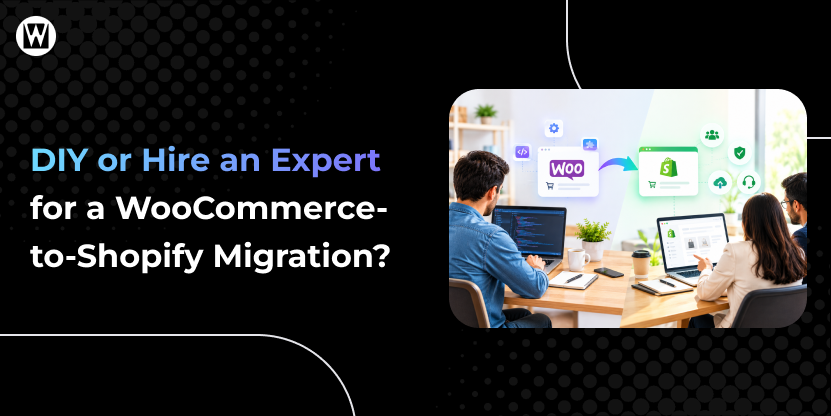
So, should you migrate your WooCommerce store yourself or hire a professional?
The answer depends on how complex your store is and how much risk you can reasonably manage.
Quick Answer: Should You DIY or Hire a WooCommerce-to-Shopify Migration Expert?
A DIY migration can work for a small, simple WooCommerce store with limited products, few integrations, and little dependence on organic traffic.
A professional migration is generally more appropriate when your store has high organic traffic, a large catalog, custom functionality, multiple integrations, or revenue-critical operations.
| Factor | DIY Migration | Professional Migration |
|---|---|---|
| Small, simple store | Suitable | Optional |
| Large product catalog | More difficult | Better suited |
| Existing SEO traffic | Higher risk | SEO-focused planning |
| Custom functionality | Challenging | Specialist handling |
| Multiple integrations | More complex | Integration planning |
| Orders & customer data | Requires careful handling | Managed and validated |
| Redirects & SEO | Must be handled correctly | URL mapping and validation |
| Testing | Your responsibility | Structured pre-launch QA |
| Time required | More of your time | Less internal effort |
The key question isn’t simply “Can I migrate my store?”
It is:
“Can I migrate it without creating SEO, data, functionality, or revenue problems?”
Why Your Migration Approach Matters
WooCommerce and Shopify work differently.
WooCommerce relies on WordPress, plugins, hosting, and custom configurations. Shopify uses its own hosted infrastructure, themes, apps, and URL structure.
That means migration can involve:
- Products, variants, categories, and images
- Customers and order history
- Pages and blog content
- SEO metadata and URLs
- Redirects
- Navigation and internal links
- Payment, shipping, analytics, and marketing integrations
- Custom functionality and plugin replacements
Some WooCommerce features also require Shopify-specific alternatives rather than a direct transfer. Customer passwords, for example, cannot simply be migrated as normal customer data.
This is why the right migration approach depends on more than store size alone.
What Does a DIY WooCommerce-to-Shopify Migration Involve?
If you handle the migration yourself, you are responsible for more than importing products.
At a minimum, you will need to manage:
1. Data Migration
You may need to transfer products, variants, customers, orders, categories, images, pages, and other store data.
You also need to verify that the imported data is complete and correctly structured.
2. Storefront Setup
Your WooCommerce theme does not simply move to Shopify.
You will need to recreate or adapt your storefront, navigation, collections, product templates, and important pages.
3. URL and SEO Migration
This is one of the most important parts.
Your Shopify URLs may differ from your WooCommerce URLs, so you need to map important old URLs to their appropriate new destinations and implement redirects.
Missing or incorrect redirects can create broken pages and contribute to organic traffic loss. Google recommends preparing URL mappings, implementing permanent redirects, updating internal links, submitting the new sitemap, and monitoring the migration after launch.
4. Plugin and Integration Replacement
WooCommerce plugins do not automatically become Shopify functionality.
You may need Shopify apps or alternative solutions for:
- Reviews
- Subscriptions
- Email marketing
- CRM
- Analytics
- Shipping
- Product filtering
- Custom features
5. Testing
Before launch, you should test:
- Product pages
- Collections
- Search
- Cart
- Checkout
- Payments
- Forms
- Customer accounts
- Mobile experience
- Redirects
- Analytics and tracking
- Important integrations
A DIY migration can therefore be manageable, but it requires time, attention to detail, and technical confidence.
When Does DIY Migration Make Sense?
DIY may be reasonable if:
- You have a relatively small catalog.
- Your store has limited custom functionality.
- You have few third-party integrations.
- Your URL structure is simple.
- You are comfortable working with CSV files and Shopify.
- Your store does not depend heavily on organic search.
- You have enough time for testing and troubleshooting.
- A temporary issue would not create major business disruption.
For a small store, a DIY migration can save professional service costs.
However, saving money on the migration does not necessarily mean saving money overall. Your time, troubleshooting, potential errors, and opportunity cost should also be considered.
Where Can DIY Migration Become Risky?
The biggest problems usually appear when the store has more complexity than expected.
SEO and URL Changes
A store with established organic traffic has more at stake than a new store.
Incorrect redirects, changed URLs, missing metadata, broken internal links, or indexing problems can affect organic performance. Google also notes that temporary ranking fluctuations can occur during site moves, even when the migration is handled correctly.
Custom Functionality
If your WooCommerce store depends on custom code or specialized plugins, finding an equivalent Shopify solution may require development work rather than a simple app installation.
Integrations
CRM systems, ERP platforms, email marketing tools, analytics, shipping systems, payment services, and other integrations need to be checked individually.
Customer and Order Data
A successful import isn’t enough. You need to verify that important records, relationships, and required fields were transferred correctly.
Revenue-Critical Stores
If your website processes orders every day, even a short-term checkout or payment problem can have a direct business impact.
The more your store depends on SEO, sales, integrations, or custom functionality, the more important structured migration planning becomes.
What Does a Professional WooCommerce-to-Shopify Migration Involve?
A professional migration is not simply someone importing your products for you.
A good migration process should cover the store before, during, and after the platform switch.
Pre-Migration Audit and Planning
The migration team reviews:
- Current URLs and site structure
- SEO performance
- Products and categories
- Customer and order data
- Plugins and custom functionality
- Third-party integrations
- Analytics and tracking
- Business-critical features
This helps identify potential problems before the migration begins.
Data Migration and Validation
Products, variants, customers, orders, content, and other required data are transferred and then checked for accuracy.
SEO Migration
A professional team should map important WooCommerce URLs to their Shopify destinations, implement redirects, preserve relevant on-page SEO elements, and validate the new structure.
This is particularly important when the existing store already generates organic traffic. WebyKing’s WooCommerce-to-Shopify service, for example, includes URL mapping, redirects, SEO preservation, and post-migration monitoring.
Functionality and Integration Planning
Instead of assuming every WooCommerce plugin has a direct equivalent, the migration team identifies what needs to be replaced, rebuilt, or adjusted for Shopify.
Pre-Launch Testing
Before the Shopify store becomes the primary live store, critical functions should be tested, including checkout, payments, redirects, product pages, mobile usability, and integrations.
Post-Launch Monitoring
The work should not stop when the store goes live.
Monitoring helps identify issues with indexing, redirects, traffic, functionality, or performance so they can be addressed quickly.
When Should You Consider Hiring a WooCommerce-to-Shopify Expert?
Professional help becomes more valuable when one or more of these situations apply:
Your store has established organic traffic.
You have valuable rankings, backlinks, and landing pages that need to be protected during the move.
Your store has a large catalog.
Thousands of products, variants, categories, and URLs create more opportunities for errors.
You rely on custom functionality.
Complex plugins and custom WooCommerce features may require Shopify-specific solutions.
You have multiple integrations.
CRM, ERP, marketing, shipping, analytics, subscriptions, or other systems need careful coordination.
Your store generates high revenue.
The potential cost of a migration problem can be much greater than the cost of professional migration.
You have a fixed launch deadline.
An experienced team can take ownership of the migration process while your internal team continues focusing on the business.
DIY vs Professional WooCommerce-to-Shopify Migration
| DIY | Professional | |
|---|---|---|
| Initial cost | Lower | Higher |
| Internal time | Higher | Lower |
| Technical responsibility | You | Migration team |
| SEO planning | You | Specialist-led |
| Data validation | You | Managed |
| Custom functionality | Potentially difficult | Assessed and adapted |
| Integration testing | You | Managed |
| Pre-launch QA | You | Structured |
| Post-launch monitoring | You | Usually included |
| Best suited for | Small/simple stores | Complex or business-critical stores |
There is no single migration method that is right for every store. The appropriate choice depends on your store’s complexity, resources, SEO dependency, and tolerance for migration risk.
What About a Hybrid Migration?
A hybrid approach means your team handles simpler parts of the migration while an expert manages higher-risk areas such as SEO, redirects, custom functionality, integrations, or final QA.
This can work when you have internal technical resources but want professional oversight for the parts where mistakes could be expensive.
For many businesses, however, the important question is not who performs every individual task. It is who is responsible for making sure the entire migration works correctly.
What Does a DIY Migration Really Cost?
A DIY migration may appear free if you only consider software or app costs.
But the real cost can include:
Migration cost = tools/apps + development + internal time + troubleshooting + potential business impact
For example, spending several days fixing product imports, redirects, integrations, or checkout problems can quickly make a “free” migration much more expensive in terms of internal resources.
If you want to understand the broader costs involved, see our website migration cost guide.
A Simple Checklist Before You Decide
Ask yourself:
- How many products and URLs does my store have?
- Does my store receive meaningful organic traffic?
- Do I rely on custom WooCommerce plugins or functionality?
- How many third-party integrations need to continue working?
- Do I need to migrate customers and historical orders?
- Can I correctly handle URL mapping and redirects?
- Do I have enough time for complete pre-launch testing?
- What would happen to my business if checkout, tracking, or SEO stopped working after launch?
If most answers point toward a simple store with low complexity, DIY may be practical.
If several answers involve SEO, custom functionality, integrations, high traffic, or revenue-critical operations, professional migration deserves serious consideration.
What Should You Test Before Launch?
Regardless of who performs the migration, don’t launch until the important parts have been checked.
At minimum, verify:
- Products and variants
- Categories/collections
- Images
- Customer records
- Order data
- Important pages and blog content
- URLs and 301 redirects
- Meta titles and descriptions
- Internal links
- Search functionality
- Cart and checkout
- Payment processing
- Shipping and tax settings
- Analytics and conversion tracking
- Mobile experience
- Third-party integrations
For a broader pre-, during-, and post-migration checklist, see our Website Migration Checklist.
So, Should You DIY or Hire a WooCommerce-to-Shopify Expert?
If you have a small and relatively simple store, a DIY migration may be manageable.
If your store has established SEO, a large catalog, custom functionality, multiple integrations, or high revenue dependence, the migration requires much more planning and validation.
The decision ultimately comes down to complexity, risk, resources, and the cost of getting something wrong.
A migration is not successful simply because the products appear in Shopify. It is successful when your data, SEO, functionality, customer experience, and business operations continue working as expected after the move.
Prefer to Have Your WooCommerce-to-Shopify Migration Handled by an Expert?
WebyKing’s WooCommerce-to-Shopify Migration Service provides end-to-end migration support, including SEO-focused URL mapping and redirects, data migration, functionality planning, pre-launch testing, and post-migration monitoring.
Instead of managing every technical detail yourself, you can have the migration planned and executed around your store’s specific requirements.
Want to understand what your migration will involve before committing?
Frequently Asked Questions
Can I migrate from WooCommerce-to-Shopify myself?
Yes. A small store with limited products, functionality, and integrations may be manageable as a DIY project. More complex stores require much more planning, testing, and technical work.
Do I need a developer to migrate from WooCommerce to Shopify?
Not always. Basic product migrations can be handled without advanced development skills. However, custom functionality, complex integrations, data requirements, and SEO migration may require technical expertise.
Will my WooCommerce URLs stay the same on Shopify?
Not necessarily. Shopify uses a different URL structure, so existing URLs may need to be mapped to appropriate Shopify URLs and redirected. This is an important part of protecting SEO during migration.
Can I migrate products, customers, and orders?
Yes, but the migration method matters. Products and customers can be transferred using different tools, while historical orders may require specialized migration apps or services. Customer passwords also cannot simply be transferred to Shopify.
Will I lose my SEO rankings after moving to Shopify?
A migration can cause temporary ranking fluctuations, and errors such as missing redirects or incorrect indexing can create additional SEO problems. Proper URL mapping, redirects, SEO preservation, testing, and post-launch monitoring can reduce avoidable risks.
How much does professional WooCommerce-to-Shopify migration cost?
The cost depends on store size, data volume, custom functionality, integrations, SEO requirements, and testing needs. Simple migrations may cost considerably less than complex stores requiring extensive customization and validation.
How long does a WooCommerce-to-Shopify migration take?
The timeline depends on complexity. A small, simple store may take a few days, while larger stores with extensive data, integrations, or custom functionality can take several weeks. Proper planning and testing should be included in the timeline.
I'm Ravi Makhija, Founder & CEO of WebyKing. I believe your website should be the hardest-working member of your team, building trust, generating leads, and creating opportunities 24/7. Through web design, development, SEO, and digital strategy, I help businesses build websites that become growth assets-not just digital brochures. Too many businesses invest in websites that look great but fail to deliver real business value.
Business owners deserve digital solutions that are simple, practical, and built around their goals, not unnecessary complexity. After all, your website shouldn't just represent your business; it should help grow it.

Get In Touch