Last Updated: October 2, 2026
Reading Time: 17 minutes
Post Views: 4
- WooCommerce to Shopify Migration Cost at a Glance
- What Actually Determines WooCommerce to Shopify Migration Cost?
- The Biggest WooCommerce to Shopify Cost Factors
- How Much Does Your Store Complexity Really Matter?
- Your WooCommerce-to-Shopify Migration Complexity Checklist
- How Long Does a WooCommerce to Shopify Migration Take?
- DIY vs. Migration App vs. Developer vs. Agency
- What Should Be Included in a Professional Migration Quote?
- What Can Make a WooCommerce to Shopify Migration More Expensive?
- What Can Reduce Your Migration Cost?
- What Are the Ongoing Costs After Moving to Shopify?
- What Are the Hidden Costs of a WooCommerce to Shopify Migration?
- How to Compare WooCommerce to Shopify Migration Quotes
- Can You Migrate From WooCommerce to Shopify for Free?
- A Simple Way to Estimate Your Migration Cost
- What Should You Ask Before Hiring a Migration Provider?
- What Should You Budget for a WooCommerce to Shopify Migration in 2026?
- Final Thoughts
- Frequently Asked Questions
Moving from WooCommerce to Shopify is not simply a matter of exporting products and importing them into a new store.
Your actual migration cost depends on what needs to move, what needs to be rebuilt, which WooCommerce functionality must be replaced, how complex your integrations are, how much SEO value needs to be protected, and how much work is required to test the new store before launch.
For 2026 budgeting, a useful planning framework is: a limited DIY or data-focused migration may cost under $1,000, while a professionally managed migration can range from roughly $3,000 to $15,000+, with more complex projects reaching $15,000–$40,000+ or higher.
These are planning ranges, not fixed market rates or universal quotes. Your actual WooCommerce-to-Shopify migration cost depends on the amount of data, custom functionality, plugins, integrations, SEO requirements, design work, testing, and post-launch support involved.
Two stores with the same number of products can therefore have dramatically different migration costs.
A 500-product store with subscriptions, custom pricing, ERP integration, and complex SEO requirements may require considerably more work than a 5,000-product store with straightforward products and minimal customization.
The most useful way to think about your budget is:
Migration cost = data + functionality + integrations + design + SEO + testing + launch + support
WooCommerce to Shopify Migration Cost at a Glance
Use these ranges as an initial budgeting framework, not a fixed price list. Two stores with the same number of products can have very different migration costs because functionality, integrations, customizations, SEO requirements, and data complexity can significantly change the scope.
| Migration type | Typical scope | Planning budget |
|---|---|---|
| DIY / data-focused | Small catalog, standard products, limited customization | Under $1,000 |
| App-assisted | Products, customers, orders, and other supported data | $500–$2,000+ |
| Professional migration | Data, functionality, plugins, theme work, SEO and QA | $3,000–$15,000+ |
| Complex ecommerce migration | Large catalog, custom functionality, integrations, advanced SEO or redesign | $15,000–$40,000+ |
| Enterprise / highly customized | ERP/CRM, B2B, multiple markets, custom applications or architecture | $40,000+ / custom quote |
Use these ranges for initial budgeting, not as a substitute for a store-specific quote. Shopify itself offers several migration methods, including manual transfer, CSV imports, migration apps, Shopify Partners, and custom API-based solutions.
Which range probably applies to your store?
You may be toward the lower end if you have:
- A relatively small or straightforward catalog
- Standard WooCommerce products
- Few plugins
- Little or no custom functionality
- Simple integrations
- Minimal design changes
- Limited SEO complexity
Expect a larger budget if you have:
- Complex product variations or custom fields
- Thousands of products or substantial historical data
- Many WooCommerce plugins
- Custom pricing or business rules
- Subscriptions or B2B requirements
- ERP, CRM, inventory or warehouse integrations
- A custom WooCommerce theme
- Significant SEO traffic and many URLs to map
- A redesign or custom Shopify development requirement
- Multiple stores, markets or languages
The important distinction is that migration cost is not determined by product count alone.
What Actually Determines WooCommerce to Shopify Migration Cost?
The biggest cost differences come from what has to be moved, rebuilt, connected, protected, and tested, not simply how many products your store has.
The biggest cost drivers usually fall into these areas:
| Cost factor | What affects the price |
|---|---|
| Product catalog | Products, variants, images, categories, attributes, and inventory |
| Customers | Customer records, addresses, accounts, and historical information |
| Orders | Number of historical orders and how they need to be preserved |
| Custom data | WooCommerce custom fields, metadata and business-specific information |
| Plugins | Number of plugins and whether Shopify has an equivalent |
| Custom functionality | Features requiring Shopify apps, custom development or new workflows |
| Integrations | ERP, CRM, accounting, inventory, shipping, email and other systems |
| Theme/design | Existing design recreation, redesign or custom Shopify development |
| SEO | URL mapping, redirects, metadata, indexing, internal links and monitoring |
| Data cleanup | Duplicate, outdated, incomplete or unnecessary data |
| Testing | Products, checkout, payments, shipping, forms, tracking, mobile and integrations |
| Launch support | Final migration, DNS/domain changes, validation and post-launch monitoring |
The more of these areas your project involves, the more important it becomes to understand the work involved before comparing prices.
The Biggest WooCommerce to Shopify Cost Factors
Once the basic scope is clear, a few areas usually have the biggest effect on the amount of migration work required.
1. Your Product Catalog
Product count matters, but product complexity matters just as much.
A basic product containing a title, description, price, image, and SKU is relatively straightforward.
A catalog becomes more involved when products contain:
- Multiple variants
- Complex attributes
- Custom fields
- Multiple images
- Inventory rules
- Product-level metadata
- Custom pricing
- Bundles
- Related products
- Specialized product options
- Custom business logic
For example, a store with 500 highly customized products may require more migration work than a store with 5,000 straightforward products.
What to check before estimating
Don’t only count products.
Also determine:
- How many variants exist?
- Are attributes used for business logic?
- Are custom fields important?
- Are images organized consistently?
- Is inventory synchronized with another system?
- Are products connected to subscriptions, bundles, or other workflows?
- Does the existing product structure need to be recreated differently in Shopify?
This gives you a much more realistic view of the data-migration workload.
2. Customer and Order Data
Your product catalog is only part of the store.
You may also need to migrate:
- Customer records
- Customer addresses
- Historical orders
- Order statuses
- Product relationships
- Reviews
- Other relevant customer or transaction data
Shopify’s current WooCommerce migration guidance specifically covers products, customers, historical orders, and reviews, while noting that different migration methods have different capabilities.
Historical orders can require additional planning because businesses may need them for customer service, reporting, accounting, or operational reference.
Before requesting a quote, decide:
Do you need all historical data, only recent records, or only the information required for ongoing operations?
That decision can affect both migration complexity and cost.
3. WooCommerce Plugins Can Highly Change the Cost
This is one of the most commonly underestimated areas of a migration.
WooCommerce plugins do not simply migrate into Shopify.
Each important plugin needs to be evaluated individually.
For every plugin, you may need to choose between:
- A Shopify-native feature
- A Shopify app
- Custom Shopify development
- A different business workflow
- Removing the functionality if it is no longer needed
For example, a plugin providing basic product filtering may have a Shopify equivalent.
A plugin handling highly customized pricing, subscriptions, product configuration, membership rules, or business-specific workflows may require a more involved replacement.
Build a plugin replacement map
Before development starts, create a list like this:
| WooCommerce functionality | Still required? | Shopify solution | Potential impact |
|---|---|---|---|
| Product filtering | Yes | Native/app | Low–Medium |
| Reviews | Yes | Shopify app | Low |
| Custom pricing | Yes | Custom/app solution | Medium–High |
| Subscriptions | Yes | Subscription platform/app | Medium–High |
| Advanced checkout logic | Yes | Shopify-compatible solution | High |
| Unused plugin | No | Remove | Can reduce scope |
This exercise can uncover hidden development work before it becomes a surprise cost.
Ask these questions about every important plugin
- What does this plugin actually do?
- Is the functionality still required?
- Does Shopify provide it natively?
- Is there a suitable Shopify app?
- Will the replacement support the same business rules?
- Does it require custom development?
- Does it affect checkout, product pages, or customer accounts?
- Does it connect to another system?
- Does the functionality need to be redesigned rather than directly replaced?
Removing unnecessary plugins before migration can reduce both complexity and scope.
4. Integrations Can Be One of the Biggest Cost Drivers
Your WooCommerce store may connect to much more than WordPress and WooCommerce.
Common integrations include:
- ERP systems
- CRM platforms
- Accounting software
- Inventory management
- Warehouse systems
- Shipping platforms
- Payment providers
- Email marketing
- Customer support
- Analytics
- Advertising platforms
- Subscription systems
- Automation tools
The important question is not simply:
“Does Shopify integrate with this system?”
The better question is:
“What data moves between these systems, and what business process depends on that connection?”
Consider a workflow such as:
WooCommerce order → ERP → inventory update → fulfillment → shipping notification → customer email
If the migration changes any part of that workflow, the Shopify implementation may need to reproduce or redesign it.
That’s why an integration-heavy store can cost substantially more to migrate than a simple catalog-based store.
5. Migration vs. Redesign: Don't Combine Them Accidentally
A WooCommerce-to-Shopify migration does not automatically require a complete redesign.
There are three common approaches.
Option 1: Migration Only
Move the required data and functionality while keeping the project focused on getting the Shopify store operational.
This can keep costs lower when your existing storefront already performs well.
Option 2: Migration + Design Refresh
Move to Shopify while making targeted improvements to the existing storefront.
This adds design and development work without necessarily turning the project into a complete rebuild.
Option 3: Migration + Custom Shopify Development
Use the migration as an opportunity to rebuild the storefront, change customer journeys, introduce custom components, or develop specialized functionality.
This can substantially increase both project cost and timeline.
A useful budgeting rule
Separate:
Required migration work
from
Optional improvements
For example:
Required
- Data migration
- Plugin replacement
- URL redirects
- Integration setup
- Checkout configuration
- Testing
Optional
- Complete redesign
- New animations
- New landing pages
- Conversion experiments
- Additional custom features
This prevents optional redesign work from making the migration budget appear unnecessarily large.
6. SEO Can Affect Migration Cost More Than Expected
SEO should not be treated as a final checkbox.
Changing ecommerce platforms can affect:
- URLs
- Page titles
- Meta descriptions
- Canonical tags
- Internal links
- Product and collection structure
- Indexability
- XML sitemaps
- Structured data
- Image URLs
- Search rankings
- Organic traffic
- Analytics and Search Console tracking
The objective is not simply to make the new Shopify store functional.
It is to move the business while protecting the search visibility and organic value the existing store has built.
What should be included in an SEO migration?
At minimum, review:
- High-traffic pages
- Top-ranking product pages
- Category and collection pages
- Blog content
- Backlinked URLs
- Indexed pages
- Existing redirects
- Canonicals
- Internal links
- Metadata
- Tracking codes
URL mapping is particularly important
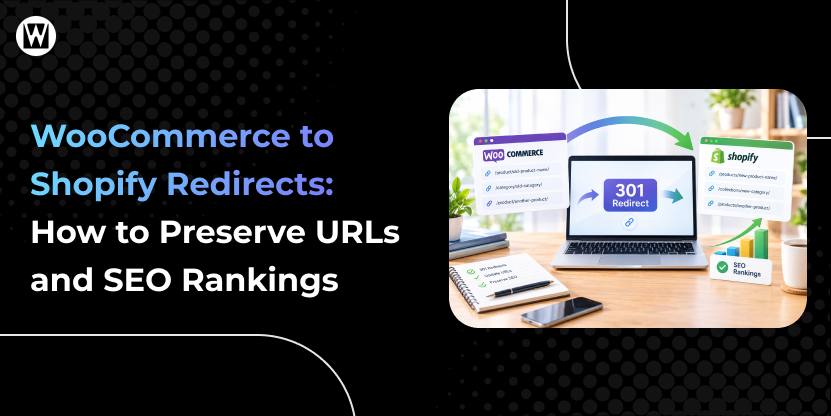
WooCommerce and Shopify can use different URL structures.
That means an existing URL may not automatically resolve to its new Shopify equivalent.
A proper migration should identify important old URLs and map them to the appropriate new destinations.
For example:
Old URL → New URL → 301 redirect → validation
Don’t simply redirect everything to the homepage.
The goal is to send users and search engines to the most relevant equivalent page.
Don't assume SEO is automatically preserved
A migration tool can transfer data without reproducing every SEO requirement.
SEO migration should therefore be treated as its own workstream:
Audit → URL mapping → implementation → validation → post-launch monitoring
Shopify’s own migration guidance includes SEO setup as part of the migration process and recommends testing and validating the new store before launch.
7. Data Cleanup Can Increase or Reduce Your Migration Cost
Migration is often a good opportunity to clean up the store.
You may discover:
- Duplicate products
- Outdated products
- Unused categories
- Incomplete product information
- Old customer records
- Unnecessary metadata
- Duplicate images
- Outdated pages
- Abandoned functionality
You have two choices.
Migrate everything
Advantage: less pre-migration cleanup.
Trade-off: unnecessary data and complexity move into the new store.
Clean before migrating
Advantage: a cleaner Shopify environment and potentially less migration work.
Trade-off: additional planning and data-cleanup effort before migration.
The important thing is to decide this before the migration quote is finalized.
How Much Does Your Store Complexity Really Matter?
Product count is only one part of migration complexity. A smaller store with custom pricing, several critical plugins, or complex integrations can require more migration work than a larger store with standard products and a simpler setup.
Your WooCommerce-to-Shopify Migration Complexity Checklist
Before estimating your budget, look at what your current store actually contains. The more areas that require custom handling, replacement, rebuilding, or testing, the more migration work your project may require.
| If your store has… | Likely budget impact |
|---|---|
| Standard products and simple product data | Lower |
| Many product variants or custom fields | Higher |
| Several important WooCommerce plugins | Higher |
| Custom pricing or business logic | Higher |
| ERP, CRM, inventory, or other system integrations | Higher |
| A large or important SEO footprint | Higher |
| A custom Shopify storefront or significant redesign | Higher |
| Multiple markets, currencies, or languages | Higher |
| Subscriptions or B2B workflows | Higher |
| Extensive customer, order, or historical data | Higher |
This is a relative complexity guide, not a price calculator. One factor alone does not determine your migration cost. For example, a store with thousands of standard products may require less work than a smaller store with complex custom functionality and multiple integrations.
Consider these three hypothetical stores.
Store A: Small and straightforward
- 100 products
- Standard WooCommerce theme
- Few plugins
- No major integrations
- Limited historical data
- No redesign
This type of project may fit a lower-cost DIY or app-assisted approach.
Store B: Growing ecommerce business
- 800 products
- Multiple variants
- Several important plugins
- Customer and order history
- Email and shipping integrations
- SEO traffic to protect
- Shopify theme customization
This is more likely to require a professional migration.
Store C: Complex ecommerce operation
- Thousands of products
- Custom product logic
- Subscriptions
- Custom pricing
- ERP and inventory integration
- Multiple business workflows
- Significant organic traffic
- Custom storefront
- Extensive testing requirements
This is a substantially different project from simply transferring a product catalog.
The difference between these stores is not just the number of products. It is the number of systems and business processes that must continue working after the migration.
How Long Does a WooCommerce to Shopify Migration Take?
Migration timelines depend heavily on scope.
A straightforward store with clean data and limited customization can move much faster than a complex ecommerce business with integrations, custom functionality, and extensive SEO requirements.
A typical project may involve:
- Discovery and requirements
- Data audit and preparation
- Shopify setup
- Data migration
- Theme/design implementation
- Plugin and functionality replacement
- Integration setup
- SEO migration
- Testing and QA
- Final migration
- Launch
- Post-launch monitoring
As a broad planning guide:
- Simple migrations: several weeks
- Standard professional migrations: often several weeks
- Complex implementations: several months
The actual timeline should be determined after reviewing the store rather than promising a fixed number of days before the scope is known.
Cost and timeline are connected
Trying to reduce cost by removing testing, SEO work, or functionality planning can appear attractive initially.
But if those tasks are required for a successful launch, they do not disappear.
They become:
your team’s work, a later development project, or a post-launch problem.
DIY vs. Migration App vs. Developer vs. Agency
You have several ways to approach a WooCommerce-to-Shopify migration.
| Approach | Best suited for | Main advantage | Main trade-off |
|---|---|---|---|
| DIY / manual | Small, simple stores | Lowest direct cost | High internal effort and risk of missed details |
| Migration app | Structured data migrations | Faster bulk transfer | Requires validation and may not handle custom requirements |
| Freelancer/developer | Stores needing technical help | Flexible development support | Expertise and scope can vary |
| Specialist agency | Complex or business-critical migrations | End-to-end planning, migration, QA and launch support | Higher project cost |
| Hybrid | Businesses with internal technical resources | Balances internal control and outside expertise | Requires clear ownership |
Shopify currently supports several migration routes, including manual transfer, CSV import, third-party migration apps, Shopify Partners, and custom API-based migration solutions.
The important distinction
A migration tool can make data transfer inexpensive.
It does not necessarily make the entire migration project inexpensive.
You may still need:
- Data cleanup
- Data mapping
- Plugin replacement
- Custom development
- Integration work
- Theme implementation
- SEO migration
- Testing
- Launch support
For a small store with standard data, DIY migration may be practical.
For a revenue-generating store with complex functionality, the decision should also account for the value of internal time, operational risk, and the cost of fixing migration problems later.
What Should Be Included in a Professional Migration Quote?
Before comparing prices, check exactly what each provider is offering.
Discovery & Planning
- Current-store audit
- Migration requirements
- Data inventory
- Functionality review
- Integration review
- Migration roadmap
Data Migration
- Products
- Variants
- Categories
- Customers
- Orders
- Reviews
- Pages
- Blog content
- Relevant custom data
Shopify Setup
- Store configuration
- Navigation
- Collections
- Product structure
- Basic settings
Functionality
- Plugin replacement
- Shopify app configuration
- Custom development where required
Integrations
- ERP
- CRM
- Accounting
- Inventory
- Shipping
- Marketing
- Analytics
- Other business systems
SEO
- URL mapping
- Redirects
- Metadata
- Canonicals
- Internal links
- Indexability checks
- Tracking setup
QA & Launch
- Product testing
- Checkout testing
- Payment testing
- Shipping testing
- Mobile testing
- Form testing
- Integration testing
- Analytics testing
- Final migration
- Launch support
Shopify’s migration documentation also includes store configuration, shipping, taxes, payment setup, test orders, domain setup, and SEO among the tasks to review during migration.
The more of these areas your quote covers, the more meaningful the quoted price becomes.
What Can Make a WooCommerce to Shopify Migration More Expensive?
Some costs become clearer only after the existing WooCommerce store is audited. These are the situations most likely to increase the amount of development, testing, or replacement work required.
The following factors commonly increase project scope.
Custom functionality
Features built specifically for your WooCommerce store may need to be recreated differently in Shopify.
Complex plugins
The more business-critical plugins you use, the more replacement planning may be required.
Multiple integrations
ERP, CRM, inventory, warehouse, and accounting connections can require significant technical work.
Custom theme or redesign
Recreating an existing design is different from creating a new storefront.
Large or complicated data
Large amounts of historical data, custom fields, or inconsistent data structures increase migration effort.
Advanced SEO requirements
Stores with substantial organic traffic and many important URLs need more careful SEO planning and validation.
Subscriptions or specialized checkout requirements
These can require additional architecture and testing.
Multiple markets or stores
Multi-language, multi-currency, regional, or multi-store setups can increase implementation complexity.
Extensive testing
The more business-critical systems involved, the more scenarios need to be validated before launch.
If any of these apply to your store, they should be identified during the initial scope review rather than treated as unexpected work after the migration begins.
What Can Reduce Your Migration Cost?
You don’t necessarily need to reduce migration quality to reduce the budget.
Instead, reduce unnecessary work and prioritize what your business actually needs.
1. Remove unused plugins
Don’t recreate functionality nobody uses.
2. Clean unnecessary data
Avoid paying to migrate obsolete content, products, or records.
3. Keep the existing design
If the current storefront works well, consider migrating first and redesigning separately.
4. Prioritize required functionality
Separate must-have functionality from nice-to-have improvements.
5. Prepare your data
Clean and organize product and customer data before development begins.
6. Document integrations
Knowing exactly what systems connect to WooCommerce makes scoping easier.
7. Decide what historical data is actually needed
You may not need every legacy record in the same way.
8. Get the store audited before requesting a fixed quote
A quote based only on product count is unlikely to capture the full project scope.
What Are the Ongoing Costs After Moving to Shopify?
Your migration budget is only one part of the financial decision.
After moving to Shopify, you may also have recurring costs for:
- Shopify’s subscription plan
- Shopify apps
- Premium themes
- Custom development
- Maintenance or support
- Third-party services
- Payment-related costs
- Marketing and analytics tools
At the same time, some WooCommerce expenses may change or disappear, including:
- Hosting
- Certain plugins
- Server management
- Maintenance
- Security-related work
So don’t compare platforms using only the migration price.
Look at:
One-time migration cost + ongoing operating cost
The recurring costs depend on the Shopify plan, apps, services, payment setup and other requirements of the business, so they should be evaluated separately from the migration project itself.
A quote based only on product count is unlikely to capture the full project scope.
What Are the Hidden Costs of a WooCommerce to Shopify Migration?
Some costs don’t appear in the first quote.
Before signing a proposal, ask whether it includes:
- Data cleanup
- Historical orders
- Customer data
- Custom fields
- Plugin replacement
- Custom functionality
- Third-party integrations
- Theme development
- URL redirects
- SEO migration
- Analytics and tracking
- Quality assurance
- Final data synchronization
- Domain/DNS changes
- Launch support
- Post-launch monitoring
- Additional development
Also ask:
What is explicitly excluded?
This question is just as important as asking what is included.
A lower quote may simply include fewer deliverables or leave more work outside the quoted price.
How to Compare WooCommerce to Shopify Migration Quotes
A lower migration quote does not necessarily mean a lower total project cost. The important question is what each quote actually includes.
Compare the work included in each price.
| Area | What to check |
|---|---|
| Data | What exactly will be migrated? |
| Products | Products, variants, images, attributes, and inventory |
| Customers | Customer records and account requirements |
| Orders | How much historical order data is included? |
| Plugins | Which functionality will be replaced? |
| Integrations | Which systems are included? |
| SEO | Redirects, URLs, metadata, and technical SEO |
| Design | Migration only, redesign, or custom development? |
| Testing | What will actually be tested? |
| Launch | Is final migration and go-live support included? |
| Support | What happens after launch? |
| Exclusions | What could generate additional charges? |
A $2,000 quote and a $7,000 quote may not be competing for the same project.
The useful comparison is:
Price + scope + responsibilities + risk coverage + support
Your quote should make it clear:
- What the migration team will do
- What your team must provide
- What is included after launch
- What assumptions the quote is based on
- What could create additional charges
Before comparing prices, compare what each provider will actually deliver: what data will be migrated, what functionality will be rebuilt or replaced, which integrations are included, how SEO will be handled, what testing is covered, and what support is provided after launch.
Can You Migrate From WooCommerce to Shopify for Free?
You can reduce the direct software cost, but that does not mean the migration itself is free.
Shopify supports manual transfers, CSV imports, and migration apps, while more complex projects can use a Shopify Partner or custom migration solution.
Some migration apps also offer free or low-cost options, although their capabilities and limits vary.
You still need to account for the work required to:
- Prepare the data
- Map fields
- Clean the catalog
- Replace plugins
- Configure Shopify
- Rebuild required functionality
- Set up integrations
- Configure redirects
- Test the store
- Validate migrated data
- Complete the launch
If you perform the work internally, the cost may appear as employee time rather than an agency invoice.
For a small and simple store, DIY migration may be practical.
For a complex, revenue-generating store, the more important question is not:
“Can I migrate it for free?”
It is:
“What will it cost if something important is missed?”
A Simple Way to Estimate Your Migration Cost
You can create a preliminary budget using eight areas.
1. Data
Products + variants + customers + orders + pages + blogs + reviews + custom data
2. Functionality
Plugins + custom features + subscriptions + pricing logic + business workflows
3. Integrations
ERP + CRM + accounting + inventory + shipping + marketing + analytics
4. Design
Migration-only + theme customization + design refresh + custom storefront
5. SEO
URL mapping + redirects + metadata + technical SEO + tracking + validation
6. Testing
Products + checkout + payments + shipping + forms + integrations + mobile + analytics
7. Launch
Final data sync + DNS/domain + production deployment + validation
8. Support
Launch monitoring + fixes + post-migration assistance
Your preliminary budget should therefore be based on:
Data + functionality + integrations + design + SEO + testing + launch + support
This is far more useful than estimating cost from product count alone.
What Should You Ask Before Hiring a Migration Provider?
Before accepting a quote, ask:
Scope
- What exactly is included?
- What is excluded?
- What assumptions does the quote make?
Data
- Which data types will be migrated?
- How will custom fields be handled?
- How will historical orders be handled?
- How will data accuracy be verified?
Functionality
- Which WooCommerce plugins will be replaced?
- What happens when there is no Shopify equivalent?
- Will custom functionality require development?
Integrations
- Which integrations are included?
- Will existing workflows be recreated?
- Who is responsible for third-party configuration?
SEO
- Will you create an old-to-new URL map?
- Are redirects included?
- Will metadata and canonical requirements be reviewed?
- How will SEO be validated after launch?
Testing
- What will be tested?
- Will checkout and payment flows be tested?
- Will integrations and tracking be tested?
- Will mobile functionality be checked?
Launch
- Who handles the final migration?
- Who handles DNS/domain changes?
- What happens if an issue is discovered immediately after launch?
Cost
- What could create additional charges?
- Is the quote fixed, estimated, or hourly?
- How are change requests handled?
These answers give you a much clearer picture of the actual migration cost and risk than the headline price.
What Should You Budget for a WooCommerce to Shopify Migration in 2026?
The most reliable estimate comes from reviewing your existing WooCommerce store before migration—not from product count alone or a generic price-per-product calculation.
Before a migration provider gives you a final quote, your WooCommerce store should be reviewed for:
- Products and variants
- Customers and orders
- Plugins
- Custom functionality
- Integrations
- Theme and design requirements
- SEO and URL structure
- Data quality
- Testing requirements
- Launch requirements
The goal is to turn those findings into a clear migration plan.
That means you know:
What moves → what gets rebuilt → what gets replaced → what gets tested → what gets protected → what happens at launch
Once those requirements are clear, migration quotes become much easier to understand and compare.
Final Thoughts
WooCommerce to Shopify migration cost depends on more than your product count. Data, plugins, custom functionality, integrations, SEO, design, testing, and post-launch support can all affect the amount of work involved and the final budget.
Use the ranges in this guide as a 2026 planning framework, not a fixed quote. If your store has complex data, custom functionality, multiple integrations, or important SEO requirements, a professional WooCommerce to Shopify Migration Service can help you plan the work, handle the technical migration, and reduce the risk of issues during and after launch.
Get a WooCommerce-to-Shopify Migration Estimate Based on Your Store
Your product count is only one part of the cost. Get your migration requirements reviewed across data, plugins, custom functionality, integrations, SEO, design, testing, and launch requirements to understand what your project actually requires.
Frequently Asked Questions
How much does it cost to migrate from WooCommerce to Shopify?
A WooCommerce-to-Shopify migration can range from under $1,000 for a limited DIY or data-focused migration to $3,000–$15,000+ for a professional migration. Complex projects involving custom development, integrations, redesigns, or advanced requirements can exceed $15,000 and may reach $40,000 or more.
What is the biggest factor affecting WooCommerce to Shopify migration cost?
Overall project complexity is usually more important than product count. Data structure, plugins, custom functionality, integrations, design, SEO, and testing can all affect the final cost.
Is WooCommerce to Shopify migration expensive?
It depends on the scope. A simple store with standard products and limited customization may require relatively little migration work, while an established ecommerce business with custom functionality, integrations, and extensive SEO requirements can require a much larger budget.
Can I migrate WooCommerce to Shopify for free?
You can use manual migration methods or certain free or low-cost tools, but the migration still requires time for data preparation, mapping, validation, functionality setup, SEO, and testing. Shopify currently supports multiple migration methods, including manual transfer, CSV imports, and migration apps.
Do WooCommerce plugins migrate to Shopify?
No. WooCommerce plugins do not automatically become Shopify functionality. Each important plugin needs to be replaced with a Shopify feature, app, custom development, or another workflow.
Does the number of products increase migration cost?
It can, but product count is not the only factor. A smaller catalog with complex variations, custom fields, and integrations may require more work than a larger catalog with simple product structures.
Does historical order data cost more to migrate?
It can. The effort depends on how much historical data you need, its structure, how it needs to be mapped, and how it will be used in Shopify after migration. Shopify’s current migration guidance includes historical order migration as an optional part of the process, with different transfer methods available.
Does redesigning my store increase the migration cost?
Usually, yes. A migration and a redesign are separate workstreams. Rebuilding the storefront, creating custom components, or changing customer journeys adds design and development work.
Will migrating to Shopify affect my SEO?
A platform migration can affect SEO because URLs, page structures, metadata, internal links, and other technical elements may change. Proper URL mapping, redirects, SEO configuration, and post-launch validation can help protect existing search visibility.
How long does a WooCommerce to Shopify migration take?
Simple migrations may take several weeks, while larger or more customized projects can take several months. The timeline depends on data, functionality, integrations, design, SEO, and testing requirements.
What should I look for in a WooCommerce to Shopify migration quote?
Look beyond the total price. Compare the data being migrated, plugin replacement, integrations, design scope, SEO work, testing, launch support, post-launch support, and exclusions.
What information do I need to get an accurate migration quote?
At minimum, prepare your product count, customer and order data requirements, plugin list, custom functionality, integrations, design requirements, SEO requirements, and desired launch scope. A store audit can then turn those details into a more accurate project estimate.
I'm Ravi Makhija, Founder & CEO of WebyKing. I believe your website should be the hardest-working member of your team, building trust, generating leads, and creating opportunities 24/7. Through web design, development, SEO, and digital strategy, I help businesses build websites that become growth assets-not just digital brochures. Too many businesses invest in websites that look great but fail to deliver real business value.
Business owners deserve digital solutions that are simple, practical, and built around their goals, not unnecessary complexity. After all, your website shouldn't just represent your business; it should help grow it.

Get In Touch