DIY or Hire an Expert for a WooCommerce-to-Shopify Migration?

Should You DIY or Hire an Expert for a WooCommerce-to-Shopify Migration?

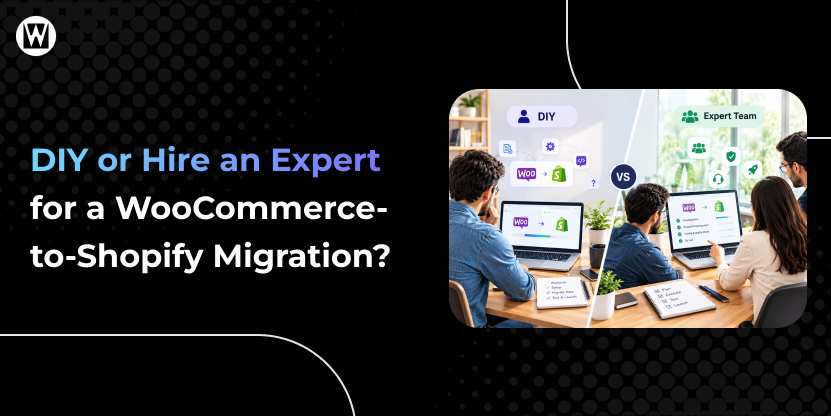
DIY or Hire an Expert for a WooCommerce-to-Shopify Migration - Featured Image
Last Updated: October 22, 2026 Reading Time: 7 minutes

Moving from WooCommerce to Shopify can simplify store management, but the migration itself requires more than transferring products from one platform to another.

You need to consider your store’s size, SEO performance, customer and order data, integrations, custom functionality, available time, and the potential impact on sales.

So, should you migrate your WooCommerce store yourself or hire a professional?

The answer depends on how complex your store is and how much risk you can reasonably manage.

Quick Answer: Should You DIY or Hire a WooCommerce-to-Shopify Migration Expert?

A DIY migration may be suitable for a small, straightforward WooCommerce store with limited integrations, minimal custom functionality, and low dependence on organic traffic.

Hiring a migration expert is worth considering when your store has complex data, established SEO traffic, custom functionality, multiple integrations, or revenue-critical operations.

A hybrid approach may work when your team can handle routine tasks but needs specialist support for higher-risk areas such as SEO, redirects, integrations, or final testing.

The right choice depends on the complexity of your store, the time and skills available internally, and the potential cost of migration errors.

FactorDIY MigrationProfessional Migration
Small, simple storeSuitableOptional
Large product catalogMore difficultBetter suited
Existing SEO trafficHigher riskSEO-focused planning
Custom functionalityChallengingSpecialist handling
Multiple integrationsMore complexIntegration planning
Orders & customer dataRequires careful handlingManaged and validated
Redirects & SEOMust be handled correctlyURL mapping and validation
TestingYour responsibilityStructured pre-launch QA
Time requiredMore of your timeLess internal effort

The key question isn’t simply “Can I migrate my store?”

It is:

“Can I migrate it without creating SEO, data, functionality, or revenue problems?”

Why Your Migration Approach Matters

WooCommerce and Shopify work differently.

WooCommerce relies on WordPress, plugins, hosting, and custom configurations. Shopify uses its own hosted infrastructure, themes, apps, and URL structure.

That means migration can involve:

  • Products, variants, categories, and images
  • Customers and order history
  • Pages and blog content
  • SEO metadata and URLs
  • Redirects
  • Navigation and internal links
  • Payment, shipping, analytics, and marketing integrations
  • Custom functionality and plugin replacements

Some WooCommerce features also require Shopify-specific alternatives rather than a direct transfer. Customer passwords, for example, cannot simply be migrated as normal customer data.

This is why the right migration approach depends on more than store size alone.

What Does a DIY WooCommerce-to-Shopify Migration Involve?

A DIY migration involves more than transferring products. You are responsible for preparing the data, rebuilding the storefront, replacing WooCommerce plugins with suitable Shopify alternatives, mapping URLs and redirects, checking integrations, and testing the store before launch.

The work can be manageable for a simple store, but the complexity increases when you have custom functionality, extensive order history, established organic traffic, or systems that must continue working after launch.

For the complete migration process, see our step-by-step WooCommerce-to-Shopify migration guide.

1. Data Migration

You may need to transfer products, variants, customers, orders, categories, images, pages, and other store data.

You also need to verify that the imported data is complete and correctly structured.

2. Storefront Setup

Your WooCommerce theme does not simply move to Shopify.

You will need to recreate or adapt your storefront, navigation, collections, product templates, and important pages.

3. URL and SEO Migration

This is one of the most important parts.

Your Shopify URLs may differ from your WooCommerce URLs, so you need to map important old URLs to their appropriate new destinations and implement redirects.

Missing or incorrect redirects can create broken pages and contribute to organic traffic loss. Google recommends preparing URL mappings, implementing permanent redirects, updating internal links, submitting the new sitemap, and monitoring the migration after launch.

4. Plugin and Integration Replacement

WooCommerce plugins do not automatically become Shopify functionality.

You may need Shopify apps or alternative solutions for:

  • Reviews
  • Subscriptions
  • Email marketing
  • CRM
  • Analytics
  • Shipping
  • Product filtering
  • Custom features

5. Testing

Before launch, you should test:

  • Product pages
  • Collections
  • Search
  • Cart
  • Checkout
  • Payments
  • Forms
  • Customer accounts
  • Mobile experience
  • Redirects
  • Analytics and tracking
  • Important integrations

A DIY migration can therefore be manageable, but it requires time, attention to detail, and technical confidence.

When Does DIY Migration Make Sense?

DIY may be reasonable if:

  • You have a relatively small catalog.
  • Your store has limited custom functionality.
  • You have few third-party integrations.
  • Your URL structure is simple.
  • You are comfortable working with CSV files and Shopify.
  • Your store does not depend heavily on organic search.
  • You have enough time for testing and troubleshooting.
  • A temporary issue would not create major business disruption.

For a small store, DIY migration can reduce upfront service costs. However, compare those savings with the time required for implementation, troubleshooting, testing, and correcting potential errors. The lower upfront cost may not always translate into a lower overall cost.

What Does a Professional WooCommerce-to-Shopify Migration Involve?

A professional migration involves more than transferring products. The process should account for your existing store structure, data, SEO requirements, integrations, and business-critical functionality.

Depending on the agreed scope, the work may include:

Pre-migration audit and planning: Review URLs, products, customer and order data, plugins, custom functionality, integrations, and analytics to identify potential issues before work begins.

Data migration and validation: Transfer the required store data and verify that important records and fields have been imported correctly.

SEO and URL management: Map existing URLs to their Shopify destinations, implement appropriate redirects, and check relevant metadata and internal links.

Functionality and integration planning: Identify which plugins need Shopify alternatives, custom development, or configuration changes, and verify that essential integrations work as expected.

Pre-launch testing: Check product pages, checkout, payments, redirects, mobile usability, analytics, and other critical store functions before launch.

Post-launch monitoring: Monitor relevant SEO, traffic, redirect, and functionality issues after launch so problems can be investigated and addressed.

The exact scope varies by provider and store complexity. Before hiring an expert, confirm which tasks, validation checks, and post-launch responsibilities are included in the agreement.

When Should You Hire a WooCommerce-to-Shopify Migration Expert?

Professional migration support is worth considering when your store’s complexity or business requirements make migration errors difficult to manage internally.

Consider getting expert help if:

Your store depends on organic traffic: Established rankings, valuable backlinks, and high-performing landing pages require careful URL mapping, redirects, and SEO validation. Google may also show temporary ranking fluctuations during a site move, even when it is handled correctly.

Your store has custom functionality: Specialized WooCommerce plugins, custom code, and unique product structures may require development work or Shopify-specific alternatives rather than a straightforward app installation.

Your integrations are business-critical: CRM, ERP, shipping, payment, analytics, and marketing systems need to be checked to ensure they continue working as expected after migration.

Your customer and order data is complex: Importing records is only part of the process. Important fields, relationships, order history, and other required information must be validated.

Your store generates regular revenue: Checkout failures, payment problems, or other functionality issues can affect sales, making thorough testing and launch planning especially important.

Your team lacks the time or technical resources: Migration requires preparation, implementation, testing, and troubleshooting. If your team cannot manage these responsibilities alongside its regular work, external support may be worth considering.

A small store with limited customization and few integrations may be manageable in-house. For a more complex store, you can choose a fully managed migration or get expert help with specific tasks, depending on your internal capabilities and the level of risk involved.

DIY vs Professional WooCommerce-to-Shopify Migration

DIY Professional
Initial cost Lower Higher
Internal time Higher Lower
Technical responsibility You Migration team
SEO planning You Specialist-led
Data validation You Managed
Custom functionality Potentially difficult Assessed and adapted
Integration testing You Managed
Pre-launch QA You Structured
Post-launch monitoring You Usually included
Best suited for Small/simple stores Complex or business-critical stores

There is no single migration method that is right for every store. The appropriate choice depends on your store’s complexity, resources, SEO dependency, and tolerance for migration risk.

Is a Hybrid WooCommerce-to-Shopify Migration a Good Option?

A hybrid migration lets your team handle straightforward tasks while an expert manages the areas that require specialist knowledge or carry greater risk.

For example, your team might prepare product data and review the Shopify storefront, while a migration specialist handles complex URL mapping, redirects, custom functionality, integration testing, or launch validation.

This approach can work when you have internal resources but need help with specific technical challenges. Before choosing it, define who owns each task, who validates the final result, and who is responsible for resolving problems after launch.

A hybrid approach is only effective when responsibilities and handoffs are clearly agreed upon.

What Does a DIY Migration Really Cost?

A DIY migration may appear free if you only consider software or app costs.

But the real cost can include:

Migration cost = tools/apps + development + internal time + troubleshooting + potential business impact

For example, spending several days fixing product imports, redirects, integrations, or checkout problems can quickly make a “free” migration much more expensive in terms of internal resources.

If you want to understand the broader costs involved, see our website migration cost guide.

A Simple Checklist Before You Decide

Before choosing a migration approach, ask yourself:

    • Is my product catalog and data structure relatively simple?
    • Does my store depend heavily on organic search traffic?
    • Do I rely on custom plugins, code, or business-critical integrations?
    • Can my team manage data validation, redirects, testing, and troubleshooting?
    • What would a migration error cost my business in time, sales, or recovery work?

    DIY may be suitable if your store is straightforward, your team has the necessary skills and time, and the potential impact of errors is manageable.

    Professional or hybrid support may be worth considering if your store has complex functionality, established organic traffic, critical integrations, or limited internal resources.

What Should You Test Before Launch?

Regardless of who performs the migration, don’t launch until the important parts have been checked.

At minimum, verify:

  • Products and variants
  • Categories/collections
  • Images
  • Customer records
  • Order data
  • Important pages and blog content
  • URLs and 301 redirects
  • Meta titles and descriptions
  • Internal links
  • Search functionality
  • Cart and checkout
  • Payment processing
  • Shipping and tax settings
  • Analytics and conversion tracking
  • Mobile experience
  • Third-party integrations

For a broader pre-, during-, and post-migration checklist, see our Website Migration Checklist.

So, Should You DIY or Hire a WooCommerce-to-Shopify Expert?

DIY migration can work for a straightforward store when you have the necessary skills and time. Professional support becomes more valuable as your store’s technical complexity, SEO requirements, integrations, and business risks increase. A hybrid approach can offer a middle ground.

Before deciding, weigh the total cost, internal workload, and potential consequences of errors—not just the upfront migration fee. If you hire a provider, make sure the agreed scope clearly defines responsibilities for data validation, redirects, testing, and post-launch support.

Prefer to Have Your WooCommerce-to-Shopify Migration Handled by an Expert?

WebyKing’s WooCommerce-to-Shopify Migration Service provides end-to-end migration support, including SEO-focused URL mapping and redirects, data migration, functionality planning, pre-launch testing, and post-migration monitoring.

Instead of managing every technical detail yourself, you can have the migration planned and executed around your store’s specific requirements.

Want to understand what your migration will involve before committing?

Frequently Asked Questions

Yes. A small store with limited products, functionality, and integrations may be manageable as a DIY project. More complex stores require much more planning, testing, and technical work.

Not always. Basic product migrations can be handled without advanced development skills. However, custom functionality, complex integrations, data requirements, and SEO migration may require technical expertise.

Not necessarily. Shopify uses a different URL structure, so existing URLs may need to be mapped to appropriate Shopify URLs and redirected. This is an important part of protecting SEO during migration.

Yes, but the migration method matters. Products and customers can be transferred using different tools, while historical orders may require specialized migration apps or services. Customer passwords also cannot simply be transferred to Shopify.

A migration can cause temporary ranking fluctuations, and errors such as missing redirects or incorrect indexing can create additional SEO problems. Proper URL mapping, redirects, SEO preservation, testing, and post-launch monitoring can reduce avoidable risks.

The cost depends on store size, data volume, custom functionality, integrations, SEO requirements, and testing needs. Simple migrations may cost considerably less than complex stores requiring extensive customization and validation.

The timeline depends on complexity. A small, simple store may take a few days, while larger stores with extensive data, integrations, or custom functionality can take several weeks. Proper planning and testing should be included in the timeline.

I'm Ravi Makhija, Founder & CEO of WebyKing. I believe your website should be the hardest-working member of your team, building trust, generating leads, and creating opportunities 24/7. Through web design, development, SEO, and digital strategy, I help businesses build websites that become growth assets-not just digital brochures. Too many businesses invest in websites that look great but fail to deliver real business value.

Business owners deserve digital solutions that are simple, practical, and built around their goals, not unnecessary complexity. After all, your website shouldn't just represent your business; it should help grow it.

Ravi Makhija

Digitizing Your Business Growth

We don’t just build websites; we craft digital experiences that drive results. Contact us today, and let’s turn your online presence into a powerful marketing tool that grows your business.

Start A Conversation With Us

site logo
WebyKing is a top-rated digital agency that helps you speed up your business growth to achieve maximum ROI.

Our Presence

Expand your business digitally on a global scale! We’re always ready at your service, with dedicated teams in three key international locations.

US flag round

5354 Denny Ave, North Hollywood, Los Angeles, CA 91601, United States.

US flag round

9720 Jones Rd, S210, Houston, TX 77065, United States.

india flag round

The Spire, Office No: 312, Near Ayodhya Chowk BRTS Bus Stop, 150 Feet Ring Road, Rajkot