Last Updated: April 29, 2026
Reading Time: 16 minutes
Post Views: 224
- What Is Website Migration?
- Why Businesses Migrate Their Websites
- Should You Migrate Your Website?
- Website Migration vs Website Redesign: What's the Difference?
- Types of Website Migration (With SEO Risk Levels)
- The 8 Phases of a Successful Website Migration
- Real Scenario Example of Platform Migration
- Complete Website Migration Checklist
- Should You Handle Website Migration Yourself or Hire an Expert?
- What Does Website Migration Cost?
- How Enterprise Website Migration Differs From Standard Migrations
- 6 Most Common Website Migration Mistakes to Avoid
- Website Migration Best Practices: Quick Reference
- What a Successful Website Migration Looks Like (Benchmarks & Expectations)
- Website Migration Timeline: What to Expect Week-by-Week
- Final Thoughts
- Frequently Asked Questions
Website migration is one of the few digital projects that can either unlock massive growth—or erase years of SEO progress in a matter of weeks.
If you’ve been told “we need to migrate the website,” what you’re really facing is not a technical task—it’s a high-risk business decision.
Done right, migration improves performance, scalability, and revenue. Done wrong, it can wipe out 20–80% of your organic traffic—and take months to recover.
This guide will help you understand exactly:
- Whether you actually need a migration
- What kind of migration you’re dealing with
- How the process works step-by-step
- What it costs—and where budgets go wrong
- And how to avoid the mistakes that derail most projects
What Is Website Migration?
Website migration is the process of making major structural changes to a website—such as switching platforms, changing domains, or updating URL structures—while preserving SEO performance, traffic, and functionality.
In simple terms, it’s not just moving a website—it’s transitioning your entire digital foundation without losing visibility or revenue.
Why Businesses Migrate Their Websites
Website migration isn’t done out of preference — it’s usually triggered by a specific business problem that can’t be solved within the current platform or setup.
The most common reasons
- Platform end-of-life: Software the site runs on is no longer supported or patched. Magento 2.4.5 ended security support in August 2025. Drupal 7 reached end-of-life in January 2025. Running an unsupported platform means accepting security risk.
- Unsustainable maintenance costs: Developer time spent on platform upkeep exceeds the value it generates. Common with Magento, Drupal, and self-hosted WordPress stores.
- Performance failures: Site crashes during traffic spikes. Poor Core Web Vitals scores reducing rankings. Checkout friction causing cart abandonment. These are structural platform problems — not fixable with plugins.
- Rebranding: Business name or domain changes after acquisition, pivot, or trademark dispute.
- International expansion: Adding multi-currency, multi-language, or regional versions that the current platform doesn’t support natively.
- Security incidents: A site is hacked or flagged for malware on an insecure hosting environment.
- Consolidation: Merging multiple websites into one unified digital presence after a business acquisition.
The business owner who says “we need to migrate our website” has almost always been sitting on an unresolved platform problem for 6–18 months before making the decision.
Should You Migrate Your Website?
Not every problem requires a migration. In fact, many businesses consider migrating when a simpler solution would be faster, cheaper, and lower risk.
You SHOULD consider migration if:
- Your platform is no longer supported or secure
- Your site cannot scale with traffic or product growth
- Core functionality (checkout, integrations, localization) is limited by your platform
- Maintenance costs are increasing faster than business value
- You are rebranding or consolidating multiple websites
You should NOT migrate (yet) if:
- Your issue is primarily design or UX-related
- Your SEO traffic is declining due to content—not infrastructure
- Your performance issues can be solved with optimization (not platform change)
- Your team is not prepared for a 4–12 week stabilization period
Quick decision rule:
- If your problem is structural, migration is likely necessary.
- If your problem is surface-level, migration is probably overkill.
Website Migration vs Website Redesign: What's the Difference?
These terms are frequently confused — and confusing them leads to underestimating the scope and risk of a project.
In practice, combining migration and redesign is where most failures happen.
Unless there is a strong business reason, separating these projects leads to significantly more stable outcomes.
| Factor | Website Redesign | Website Migration |
|---|---|---|
| What changes | Visual design, UX, branding | Platform, domain, URL structure, hosting, or protocol |
| URLs | Usually stay the same | Usually change — requiring 301 redirects |
| SEO risk | Low to medium | Medium to high depending on type |
| Technical complexity | Design + frontend | Backend, infrastructure, data transfer |
| Timeline | 4–12 weeks | 2 weeks to 12 months |
| Can they happen together? | Yes — but this significantly increases risk | |
The important nuance: Most website migrations involve some redesign — you’re moving platforms, so you’re rebuilding the visual experience anyway. But they are fundamentally different projects. When they happen simultaneously, every technical and design variable changes at once — making it extremely difficult to diagnose problems if rankings drop post-launch.
The safest approach: complete the technical migration first, let rankings stabilize, then improve the design.
Types of Website Migration (With SEO Risk Levels)
Not all website migrations are the same. The type you’re doing determines the tools you need, the SEO risks you face, and the steps you cannot skip.
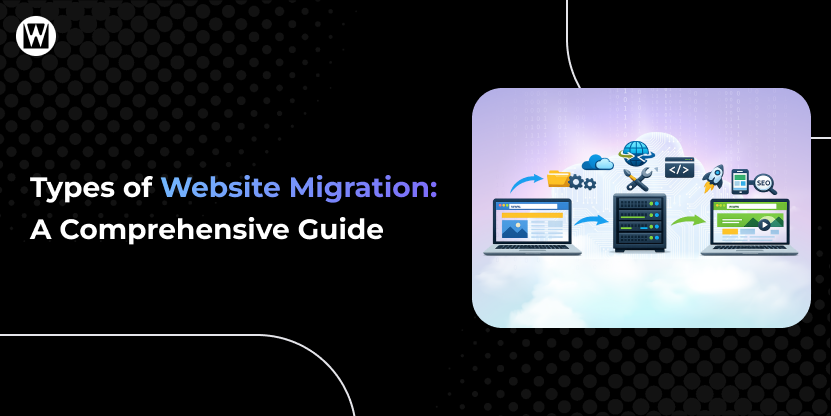
Each type of migration affects SEO differently. The more structural changes involved, the higher the risk and complexity. The 12 recognized types include:
Highest SEO risk:
- Platform / CMS migration — Moving from one technology stack to another (e.g., Magento → Shopify, WordPress → Webflow)
- eCommerce platform migration — Moving an entire online store including products, orders, and customer data
- Domain migration — Changing your web address (rebranding, consolidation, trademark change)
- URL restructure — Changing page address patterns without changing domain or platform
Medium SEO risk:
- HTTPS / SSL migration — Upgrading from HTTP to HTTPS
- Website redesign — Changing visual design and UX
- Content migration — Moving, merging, or restructuring content libraries
- International migration — Adding or restructuring multi-language and multi-region versions
Lower SEO risk:
- Hosting / server migration — Moving to a different hosting provider
- Database migration — Moving backend database systems
- Architecture migration — Restructuring internal navigation and page hierarchy
- Subdomain to subfolder — Consolidating subdomain content onto the root domain
Which Type of Migration Are You Planning?
If you’re unsure, use this quick classification:
- Changing platform (e.g., WordPress → Shopify)? → Platform migration (high risk)
- Changing domain name? → Domain migration (high risk)
- Keeping platform but changing URLs? → URL restructure (high risk)
- Only upgrading hosting? → Low-risk migration
The more elements you change at once, the higher the SEO risk.
For a complete breakdown of migration types, SEO risks, and use cases, see: Types of Website Migration
The 8 Phases of a Successful Website Migration
Every successful website migration follows the same fundamental sequence. Skipping phases — or executing them out of order — is how migrations fail.
Website Migration Process (At a Glance)
- Audit & Baseline
- Planning & Strategy
- Staging Environment Setup
- Data & Content Migration
- Technical SEO Configuration
- Pre-Launch Testing
- Launch
- Post-Launch Monitoring
Most migrations fail not due to lack of knowledge—but due to underestimating execution complexity. A typical migration takes 4–12 weeks and requires coordination across SEO, development, and content teams.
Understanding why migration happens is only the first step—execution is where most businesses succeed or fail. Below is a detailed breakdown of each phase.
Phase 1: Audit and Baseline
Before touching anything, document your current state completely:
- Full URL crawl: Use Screaming Frog or Sitebulb to export every live URL with its status code, meta title, meta description, H1, canonical tag, and internal link count
- SEO performance export: Download last 12 months of data from Google Search Console — clicks, impressions, position, and coverage report
- Analytics baseline: Export top 50 landing pages by organic sessions from Google Analytics 4
- Backlink profile: Export backlink data from Ahrefs or SEMrush — identify your top 20 pages by referring domains
- Core Web Vitals baseline: Record current scores in PageSpeed Insights for your homepage and top product/service pages
This data is your safety net. Without it, you cannot measure whether the migration succeeded or diagnose what went wrong.
Phase 2: Planning and Strategy
Define the scope, timeline, and team before a single file is moved:
- Identify exactly which migration type(s) you’re doing — see the types guide above
- Choose your migration strategy: big bang (single cutover), phased (gradual rollout), or parallel (both platforms live simultaneously)
- Assign clear roles: who owns SEO, who owns development, who owns content, who owns QA
- Set a launch window during your lowest-traffic period — not during peak season or before a major campaign
- Build your redirect map — a spreadsheet matching every old URL to its new destination
The redirect map is the single most important deliverable of Phase 2. It must be built before migration starts, not after. Every URL that changes without a redirect loses its accumulated SEO value permanently.
Redirect Map Template Example
If this is incomplete, nothing else can compensate for the loss.
You can create your redirect map in Google Sheets using this exact structure:
| Old URL | New URL | Redirect Type | Priority | Status | Notes |
|---|---|---|---|---|---|
| /old-product-1 | /products/product-1 | 301 | High | Pending | Top traffic page |
| /blog/seo-tips | /resources/seo-tips | 301 | Medium | Done | Updated slug |
| /category/shoes | /collections/shoes | 301 | High | Pending | Category page |
Column explanation:
- Old URL → Existing page URL
- New URL → Destination after migration
- Redirect Type → Always use 301 (permanent)
- Priority → High (traffic/backlinks), Medium, Low
- Status → Pending / Implemented / Tested
- Notes → Any special handling or edge cases
- Every old URL must map to a relevant new page
- Never redirect multiple pages to the homepage
- Avoid redirect chains (A → B → C)
- Keep this document updated throughout the project
Phase 3: Staging Environment Setup
All migration work happens in a staging environment — a password-protected copy of the new site that search engines cannot access.
- Block search engines from staging: set noindex headers or restrict access to specific IP addresses
- Verify the staging environment is completely inaccessible to Googlebot before building
- Use the staging environment for all testing — never build on production
Phase 4: Data and Content Migration
Transfer your website’s assets to the new platform or environment:
- Products, customers, and orders (eCommerce)
- Blog posts, pages, and media files (content sites)
- SEO metadata: meta titles, meta descriptions, H1s, alt text — these must be explicitly migrated; automated transfers frequently lose them
- Custom fields and structured data
Verify every transfer before proceeding. Automated migration tools save time but introduce field mapping errors that only surface during manual spot-checks. Check 20+ records of each data type — don’t trust aggregate counts alone.
Phase 5: Technical SEO Configuration
Implement every SEO element on the new environment before launch:
- 301 redirects: Every changed URL gets a permanent redirect to its new destination. 301 = permanent (transfers link equity). 302 = temporary (does not reliably transfer equity). Use 301 for all migration redirects. No redirect chains, no redirect loops.
- Canonical tags: Update all canonical tags to point to new URLs — not old domain URLs
- robots.txt: Confirm Googlebot is NOT blocked on the new site
- noindex tags: Confirm NONE exist on pages that should rank
- XML sitemap: Generate and verify the new sitemap — confirm page count matches expected
- Structured data/schema: Verify Product, Article, Organization, and Breadcrumb schema are generating correctly using Google’s Rich Results Test
- SSL certificate: Confirm HTTPS is active with no mixed content warnings
- Internal links: Update all internal links to point directly to new URLs — don’t route through 301 redirects
Phase 6: Pre-Launch Testing
Test comprehensively on staging before switching DNS:
Redirect testing:
- Test minimum 30 redirects across your Tier 1 pages (highest traffic, most backlinks)
- Verify each returns HTTP 301 (not 302)
- Confirm no chains: every old URL goes directly to final destination
- Confirm no loops
Content and SEO testing:
- Spot-check 20+ pages: meta titles, descriptions, H1s match pre-migration documentation
- Canonical tags correct on all Tier 1 pages
- Schema markup verified with Rich Results Test
- Image alt text present on key pages
Functionality testing:
- Complete test order through full checkout (eCommerce)
- All payment methods
- Shipping rate calculations
- Contact forms submitting and delivering correctly
- All third-party app integrations working
- Mobile testing on real iPhone and Android devices
Performance testing:
- Run PageSpeed Insights on homepage and top 5 pages
- Compare Core Web Vitals against Phase 1 baseline
- Do not launch if performance has significantly regressed
Phase 7: Launch
- Lower DNS TTL to 300–600 seconds at least 24 hours before switching
- Switch DNS during your lowest-traffic window (late night or early morning weekday)
- Have a developer available for the first 48–72 hours post-launch
- Keep the old site accessible for 30 days minimum
Immediately after DNS switch:
- Submit new XML sitemap to Google Search Console
- Use GSC Change of Address tool (for domain migrations — mandatory)
- Request indexing for top 20 Tier 1 pages via URL
- Inspection
- Verify GA4 tracking is active
- Verify all advertising pixels firing
Phase 8: Post-Launch Monitoring
| Timeframe | What to Monitor |
|---|---|
| Days 1–7 | GSC Coverage report for 404 errors daily, GA4 organic sessions daily |
| Days 7–30 | Weekly keyword ranking vs pre-migration baseline, GSC Performance by page |
| Days 30–60 | Core Web Vitals in GSC (28-day rolling data), backlinks pointing to old URLs |
| Days 60–90 | Full ranking comparison vs baseline, identify any pages that haven’t recovered |
A 2–4 week ranking fluctuation is normal and expected — it’s Google recrawling and reprocessing the new site structure. A ranking dip in the first 2–4 weeks is not a signal to panic or start making content changes. Changes made during the fluctuation period make root-cause diagnosis impossible if something genuinely goes wrong.
Real Scenario Example of Platform Migration
The brand had been struggling with slow load times and rising development costs for over a year before deciding to migrate.
A mid-sized eCommerce brand migrated from Magento to Shopify due to rising maintenance costs and performance issues.
- Pre-migration traffic: 120,000 monthly sessions
- Immediate drop after launch: ~28%
- Recovery timeline: 32 days
- Outcome: +18% improvement in conversion rate post-stabilization
Key takeaway: Temporary ranking drops are normal—but recovery depends entirely on redirect accuracy and technical setup.
Complete Website Migration Checklist
A website migration involves dozens of moving parts—and missing even one step can impact your rankings, traffic, or functionality.
Use this checklist as your execution blueprint—most migration issues come from skipped steps, not technical limitations.
Here’s a simplified version of the complete checklist used by professionals:
Pre-Migration Checklist
- Audit all existing URLs and export data
- Benchmark traffic, rankings, and Core Web Vitals
- Identify top-performing pages
- Create a complete redirect mapping document
- Choose migration strategy (big bang, phased, parallel)
- Set up staging environment (blocked from indexing)
During Migration Checklist
- Transfer all content, products, and media
- Migrate SEO metadata (titles, descriptions, H1s)
- Implement 301 redirects (no chains or loops)
- Update canonical tags and internal links
- Configure robots.txt and XML sitemap
- Install SSL and fix mixed content issues
Pre-Launch QA Checklist
- Test at least 30 redirects manually
- Validate metadata on key pages
- Run PageSpeed tests and compare baseline
- Test forms, checkout, and integrations
- Verify mobile responsiveness
Post-Launch Checklist
- Submit sitemap to Google Search Console
- Monitor 404 errors and fix immediately
- Track rankings and traffic daily (first 2 weeks)
- Keep old site active for at least 30 days
Even experienced teams rely on structured checklists—because migration errors are rarely due to lack of knowledge, but missed steps.
Download the Complete Website Migration Checklist (Free)
Get the exact checklist used by agencies to manage migrations without traffic loss.
✔ Editable Google Sheet (track progress step-by-step)
✔ Redirect mapping template included
✔ Pre-launch QA checklist
✔ Post-launch monitoring tracker
Download your copy below.

Should You Handle Website Migration Yourself or Hire an Expert?
The right approach depends on your website’s size, complexity, and how much your business relies on organic traffic.
This decision directly affects your risk level—because most migration failures happen in DIY projects without proper SEO planning.
DIY migration may be suitable if:
- Your site has fewer than 100 pages
- You are not changing domain or URL structure
- You have basic technical and SEO knowledge
- Organic traffic is not a primary revenue driver
Hiring a professional is strongly recommended if:
- Your site has 100+ pages or complex architecture
- You are changing domain, platform, or URL structure
- Your business depends on SEO traffic or online sales
- You have integrations (eCommerce, CRM, APIs) that must remain functional
Website migration involves multiple layers—technical SEO, data handling, infrastructure, and testing. While smaller projects can be managed internally, larger or revenue-critical sites benefit from experienced website migration services that can plan, execute, and monitor the process with minimal risk.
If losing 20–40% of your traffic would significantly impact your business, migration should not be treated as a DIY project.
What Does Website Migration Cost?
The real cost of migration is not the project itself—it’s the potential loss of traffic if done incorrectly. It primarily depends on store/site size and how much custom functionality needs to be rebuilt.
| Site Type and Size | DIY / Tools | Professional Agency | Timeline |
|---|---|---|---|
| Small site (under 100 pages, simple setup) | $0–$300 | $1,500–$5,000 | 1–3 weeks |
| Medium site (100–500 pages, some integrations) | $100–$500 | $5,000–$15,000 | 4–8 weeks |
| Large site / eCommerce (500–5,000 pages) | Not recommended | $15,000–$60,000 | 8–20 weeks |
| Enterprise (5,000+ pages, ERP/OMS integrations) | Not applicable | $50,000–$250,000+ | 4–12 months |
Hidden costs most budgets miss
- New platform subscription (ongoing monthly cost change)
- Theme or design rebuild ($1,000–$15,000 for professional customization)
- App or plugin replacements ($100–$500/month ongoing)
- Staff retraining on new platform (1–4 weeks reduced productivity)
- Overlapping platform costs (keeping old platform live 30 days post-launch)
- Emergency developer time — budget a 20% contingency
How to Estimate Your Migration Budget
A simple rule:
- Under 100 pages → DIY or small agency
- 100–500 pages → structured project with SEO involvement
- 500+ pages → requires dedicated migration planning and QA
- 5,000+ pages → enterprise-level coordination and risk management
If your website has more than 500 pages or generates consistent organic traffic, migration should not be treated as a DIY project.
A pre-migration audit can identify risks before they impact rankings—and prevent traffic loss before it happens.
How Enterprise Website Migration Differs From Standard Migrations
Enterprise migrations follow the same fundamental process but with significantly greater scope, stakeholder complexity, and risk exposure.
What makes enterprise migration different:
- Scale: Thousands of URLs, product pages, and content assets — redirect mapping alone can take weeks
- Integrations: ERP systems, OMS, PIM, CDP, marketing automation platforms, and custom APIs that must all reconnect to the new platform
- Stakeholders: Legal, compliance, IT, marketing, operations, and executive teams must all sign off at different project stages
- Regulatory requirements: GDPR, CCPA, PCI DSS compliance must be maintained throughout migration and verified on the new platform
- Traffic protection: Enterprise sites typically have significant organic traffic that can translate to millions in revenue — even a 10% drop during stabilization has material impact
- Rollback planning: Enterprise migrations require documented rollback procedures — a formal plan to revert to the old site if critical issues emerge post-launch
Enterprise-specific addition: SEO specification document
Before any development work begins, a senior SEO specialist should produce a written SEO specification document — a comprehensive reference that development teams use throughout the build.
It documents: URL mapping, redirect rules, canonical tag logic, structured data requirements, hreflang implementation (for international sites), robots.txt rules, and sitemap structure.
This document prevents misalignment between SEO requirements and development implementation.
6 Most Common Website Migration Mistakes to Avoid
Most migration failures are not caused by technical limitations—but by avoidable planning mistakes.
Nearly every failed migration can be traced back to one of these mistakes.
1. Building the redirect map after launch
The redirect map must exist before migration starts. Discovering missing redirects post-launch means your ranking pages have already been returning 404 errors — and every day of exposure multiplies the damage.
2. Simultaneous migration + redesign + content changes
Three variables changing at once means you cannot diagnose which one caused a post-launch ranking drop. Separate your migrations: platform first, design second, content improvements third.
3. Launching during peak season
Even a perfect migration has a 2–4 week stabilization window. Launching during your industry’s peak season or before a major campaign means that stabilization period directly overlaps your highest-revenue window.
4. Cancelling old hosting immediately after launch
You will encounter missing redirects and overlooked pages in the first 30 days. Keep the old site accessible for reference for at least 30 days post-launch.
5. Removing the staging environment's noindex before verifying the live site
The most catastrophic single mistake. If staging gets indexed — or if the live site launches with noindex tags left from staging — Google deindexes your entire site within weeks.
6. No rollback plan
Every migration project needs a documented procedure for reverting to the old site if critical issues emerge post-launch. “We’ll figure it out if it goes wrong” is not a rollback plan.
Example: Migration Failure Due to Missing Redirects
A content-heavy website migrated over 3,000 URLs without a complete redirect map.
- 40% of high-value pages returned 404 errors
- Organic traffic dropped by 60% within 3 weeks
- Recovery took over 5 months
The issue wasn’t the migration itself—it was incomplete planning.
Lesson:
Most migration failures are preventable. They happen when critical steps are skipped.
Website Migration Best Practices: Quick Reference
What to Do
- Always audit before migrating — crawl every URL, export all SEO data, record your baseline
- Build the redirect map before migration starts, not after
- Use a staging environment — never build on production
- Use 301 (permanent) redirects — never 302 (temporary) for migration redirects
- Test minimum 30 redirects manually before going live
- Verify no noindex tags on any live pages before DNS switch
- Submit new sitemap to Google Search Console on launch day
- Keep old site accessible for 30 days post-launch
- Monitor Search Console for 404 errors at 48 hours, 7 days, and 30 days
What to Avoid
- Do not make content changes during the 2–4 week post-launch stabilization window
- Never redirect everything to the homepage as a catch-all
- Never launch during peak season or the week before a major campaign
- Never cancel old hosting the day migration goes live
What a Successful Website Migration Looks Like (Benchmarks & Expectations)
- Temporary ranking fluctuation (2–4 weeks)
- Gradual recovery to pre-migration levels
- Improved Core Web Vitals
- Stable or improved conversion rates
- No significant increase in 404 errors
The goal of migration is not immediate growth—it is stability first, then optimization.
Website Migration Timeline: What to Expect Week-by-Week
While timelines vary, most migrations follow a predictable pattern:
- Week 1–2: Planning, audits, redirect mapping
- Week 3–6: Development and staging setup
- Week 6–8: Testing and QA
- Week 8+: Launch and stabilization
A Website Migration Shouldn’t Cost You Traffic
The right migration strategy helps prevent ranking drops, broken pages, and costly recovery periods after launch. From redirect mapping to post-launch monitoring, every step needs careful planning to protect your SEO and user experience.
Final Thoughts
Website migration is not just a technical task—it’s a high-impact business decision that can directly affect your traffic, revenue, and long-term growth. The difference between a smooth transition and a costly setback comes down to planning, execution, and attention to detail.
If your website plays a meaningful role in generating leads or sales, migration should be approached with caution. Many businesses rely on professional website migration services to reduce risk, preserve rankings, and ensure nothing is lost in the process. Partnering with experienced teams like WebyKing turns a complex migration into a controlled, predictable transition—rather than a risk that could impact your visibility.
Frequently Asked Questions
What is website migration in simple terms?
Website migration is the process of making significant changes to a website’s structure, platform, domain, or URLs while preserving its search rankings, traffic, and functionality. It includes actions like moving to a new CMS, changing domains, or restructuring URLs.
Does website migration affect SEO?
Yes, website migration can affect SEO. A poorly executed migration can lead to traffic loss due to missing redirects, broken links, or lost metadata. However, a well-planned migration typically causes only a temporary fluctuation (2–4 weeks) before rankings stabilize.
How long does it take for SEO to recover after a website migration?
SEO recovery usually takes between 2 to 6 weeks for small to medium websites. For larger or complex sites, it can take 2 to 3 months. The exact timeline depends on how well redirects, technical SEO, and indexing are handled.
What are the most common website migration mistakes?
The most common mistakes include missing 301 redirects, launching with noindex tags, changing multiple elements at once (domain, design, content), and not testing before launch. These errors often lead to ranking drops and traffic loss.
Do I need redirects for website migration?
Yes, redirects are essential in website migration. Every old URL must have a 301 redirect pointing to the most relevant new page. Without redirects, search engines treat pages as removed, causing loss of rankings and traffic.
What is a website migration checklist?
A website migration checklist is a structured list of tasks that ensures every critical step—such as audits, redirect mapping, technical SEO setup, testing, and post-launch monitoring—is completed during a migration.
When is the best time to migrate a website?
The best time to migrate a website is during low-traffic periods, typically outside peak business seasons, to minimize the impact of temporary ranking fluctuations.
What is the difference between website migration and redesign?
Website migration involves structural changes like platform, domain, or URL updates, while a redesign focuses on visual and user experience changes. Migration carries higher SEO risk because it often involves URL changes and backend modifications.
Is website migration risky?
Website migration carries moderate to high risk depending on the type of changes involved. Domain changes and platform migrations are higher risk, while hosting or HTTPS upgrades are lower risk. Proper planning significantly reduces these risks.
Can I migrate my website without losing traffic?
Yes, it is possible to migrate a website without losing traffic if the process is executed correctly. This includes proper redirect mapping, preserving metadata, and thorough testing before launch. Most successful migrations see only temporary fluctuations.
How much does website migration cost?
Website migration costs range from a few hundred dollars for small sites to over $50,000 for large or enterprise websites. The cost depends on site size, complexity, integrations, and whether you use DIY tools or professional website migration services.
Should I hire professionals for website migration?
Hiring professionals is recommended for medium to large websites or any site that depends on organic traffic. Professional website migration services help reduce risk, ensure proper execution, and prevent costly SEO mistakes.
What happens if website migration goes wrong?
If a website migration is executed incorrectly, it can lead to broken URLs, missing redirects, loss of rankings, and significant drops in organic traffic. Recovery can take weeks or even months depending on the severity of the issues and how quickly they are resolved.
I'm Ravi Makhija, Founder & CEO of WebyKing. I believe your website should be the hardest-working member of your team, building trust, generating leads, and creating opportunities 24/7. Through web design, development, SEO, and digital strategy, I help businesses build websites that become growth assets-not just digital brochures. Too many businesses invest in websites that look great but fail to deliver real business value.
Business owners deserve digital solutions that are simple, practical, and built around their goals, not unnecessary complexity. After all, your website shouldn't just represent your business; it should help grow it.


Need Help Ensuring a Smooth Website Migration?