Migrating your eCommerce platform sounds simple until traffic drops, URLs break, and sales start dipping. Even small mistakes during migration can impact your SEO rankings, customer experience, and overall business performance. If you’re unsure what can go wrong, here are some common website migration challenges to be aware of.
A successful migration isn’t just about transferring data. It requires careful planning, the right strategy, and strong SEO protection to ensure your store continues to perform after the switch.
In this guide, you’ll learn how to migrate your eCommerce platform step by step, including how to choose the right platform, protect your SEO rankings, manage data migration, and avoid costly mistakes.
Most stores only realize how risky migration is after rankings start dropping post-launch.
What is eCommerce Platform Migration?
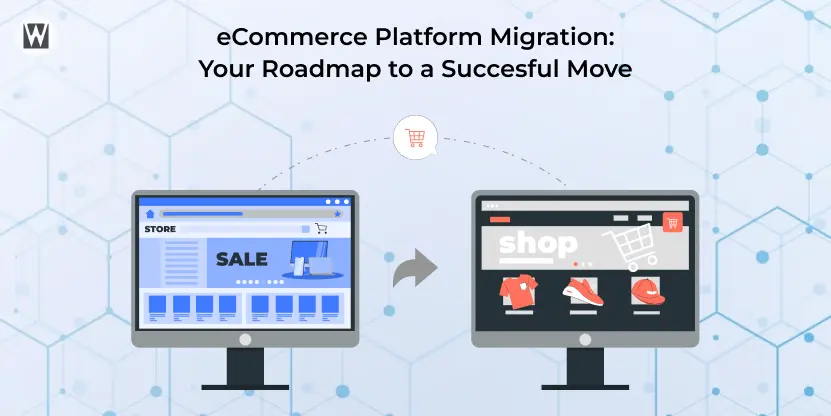
In simple terms, eCommerce platform migration means moving your online store to a new platform without losing your data, SEO, or sales in the process.
eCommerce Migration Checklist
- Audit your current store
- Backup all data
- Map URLs and create a redirect plan
- Choose the right eCommerce platform
- Migrate products, customers, and orders
- Set up design, apps, and integrations
- Test functionality and performance
- Launch and monitor SEO and traffic
You can also follow a more detailed website migration checklist to make sure nothing gets missed.
eCommerce Migration Steps
- Audit your current eCommerce platform
- Define requirements and choose a new platform
- Plan URL structure and 301 redirects
- Migrate data and validate accuracy
- Set up store design and integrations
- Test checkout, payments, and performance
- Launch and monitor rankings and traffic
When Should You Migrate Your eCommerce Platform? (10 Clear Signs)
Not every issue requires a full platform migration. However, certain problems signal that your current setup is limiting growth, performance, or scalability. If you notice multiple signs below, it may be time to plan your eCommerce platform migration.
You don’t always need a migration. But when these problems keep showing up, it’s usually a sign your platform is holding you back.
If you’re still unsure whether migration is the right move, here’s a breakdown of when it’s the right time to consider a website migration.
Key signs you should consider migrating:
- Your site slows down or crashes during traffic spikes
High-traffic events like sales or product launches expose infrastructure limits. Even a 1-second delay in load time can reduce conversions significantly. - Developer and maintenance costs are increasing
If your team spends more time fixing issues than building new features, your platform is holding back growth. - Checkout friction is causing cart abandonment
Limited checkout flexibility or poor user experience directly impacts conversions. - You can’t support the required payment methods
Missing options like local payments, digital wallets, or BNPL can reduce sales opportunities. - Integrations are unstable or hard to manage
Frequent issues with CRM, ERP, or marketing tools indicate scalability problems. - Mobile experience is poor
If performance issues go beyond theme fixes, the platform itself may be the limitation. - International expansion is difficult
Challenges with multi-currency, multi-language, or regional compliance often require a more advanced platform. - Security risks or lack of updates
Outdated platforms without regular updates can expose your business to vulnerabilities. - Maintenance costs exceed 10–15% of revenue
When operational costs grow faster than revenue, it’s a strong signal to reconsider your platform. - You can’t implement advanced features
If your platform limits AI tools, personalization, or automation, it may slow down long-term growth.
Quick Decision Framework (3–5–7 Rule)
- 3+ signs – Start evaluating migration options
- 5+ signs – Plan your migration within the next 3–6 months
- 7+ signs – Treat migration as a priority to avoid business impact
eCommerce Platform Comparison: Which Platform Should You Choose?
Choosing the right eCommerce platform is one of the most important decisions in your migration process. The best option depends on your business model, technical resources, and growth plans, not just features.
There’s no “best” platform, only what fits your business.
Here’s a quick comparison of the most common eCommerce platforms:
Platform Comparison Overview
| Factor | Shopify / Shopify Plus | WooCommerce | BigCommerce | Magento / Adobe Commerce |
|---|---|---|---|---|
| Hosting | Fully managed SaaS | Self-hosted | SaaS / Cloud | Self-hosted or Cloud |
| Pricing model | Subscription-based | Free platform, high TCO | Revenue-tiered | High licensing + hosting |
| App ecosystem | 10,000+ apps | 60,000+ plugins | ~1,300 apps | Large but complex |
| Checkout conversion | High (optimized checkout) | Depends on plugins | Competitive | Customizable |
| AI capabilities | Built-in AI tools | Third-party integrations | Built-in features | Advanced AI layer |
| B2B features | Available (Plus plan) | Limited | Strong native support | Enterprise-grade |
| International support | Strong native features | Plugin-based | Available | Available |
| Headless support | Yes | API-based | API-based | Full headless capability |
How to Choose the Right eCommerce Platform
The right platform depends on your priorities. Use this quick breakdown to make a decision:
- Choose Shopify – If you want a fast, easy-to-manage platform with strong performance and minimal technical overhead. Many businesses choose this route after reviewing the benefits of migrating to Shopify, which makes sense.
- Choose WooCommerce – If your store is content-driven and you need flexibility with full control over hosting.
- Choose BigCommerce – If you run a B2B or mid-market business and need built-in features without heavy customization
- Choose Magento (Adobe Commerce) – If you need advanced customization, complex product structures, or enterprise-level scalability
Key Decision Factors to Consider While Migrating eCommerce Platforms
Before finalizing your platform, evaluate these critical factors:
- Scalability: Can the platform support your future growth?
- Ease of use: Will your team be able to manage it without heavy developer dependency?
- Integration support: Does it connect smoothly with your existing tools (CRM, ERP, marketing)?
- SEO capabilities: Can you control URLs, metadata, and technical SEO elements?
- Total cost of ownership (TCO): Consider long-term costs, not just setup pricing
Pro Tip: Don’t Choose Based on Features Alone
Many businesses choose platforms based on feature lists instead of real business needs. A platform that works for one store may not work for another.
Instead, base your decision on:
- Your technical capabilities
- Your growth plans
- Your operational complexity
Choosing the wrong platform can lead to another migration within a few years, which increases cost and risk.
If you’re unsure which platform fits your business, consulting with experienced website migration experts can help you make the right decision before starting the migration process.
eCommerce Migration Strategies: Choosing the Right Approach
1. Big Bang Migration
Move your entire store in a single launch, old platform off, new platform on.
- Best for: Small to mid-sized stores with simple catalogs
- Risk level: High, all issues appear at once after launch
- Timeline: 4–12 weeks
-Use this when speed matters more than flexibility, and your store complexity is low.
2. Phased Migration
Migrate your store in stages, starting with specific products, categories, or a limited audience, before full rollout.
- Best for: Large catalogs, SEO-heavy stores, B2B businesses
- Risk level: Medium issues are identified gradually
- Timeline: 3–6 months
-This approach helps protect traffic and allows controlled testing before full migration.
3. Parallel Running
Run both platforms simultaneously and gradually shift traffic to the new store.
- Best for: Enterprise stores and mission-critical operations
- Risk level: Low, easy rollback if issues occur
- Timeline: 3–12 months
-Best option when downtime or revenue loss is not acceptable.
Different projects require different approaches. Here’s a deeper look at various website migration types.
Which Migration Strategy Should You Choose?
- Small store with low complexity – Big Bang Migration
- Growing store with SEO dependency – Phased Migration
- Enterprise or high-revenue store – Parallel Running
Choosing the wrong strategy can increase risk, delay timelines, and impact revenue so align your approach with your store size and business goals.
B2B eCommerce Note
Step-by-Step eCommerce Platform Migration Process
A structured migration process helps you avoid common mistakes, protect SEO, and ensure a smooth transition.
This is where most migrations go rightor completely wrong.
Phase 1: Planning (Weeks 1–3)
Step 1: Audit Your Current Platform
Document everything before making any changes:
- Total products, variants, SKUs, and categories
- Customer records and order history
- All integrations (CRM, ERP, analytics, marketing tools)
- Custom features without direct replacements
- Current SEO performance (traffic, rankings, Core Web Vitals)
- Full URL crawl (using tools like Screaming Frog or Sitebulb)
Step 2: Define Your Requirements
Be clear about what your new platform must support:
- Required payment gateways
- International selling needs
- Integration requirements
- Checkout customization
- B2B functionality (if applicable)
Step 3: Choose Your Platform and Strategy
Step 4: Build Your Redirect Map
Phase 2: Data Migration (Weeks 3–6)
What Data Needs to Be Migrated?
1. Store setup
- Products, categories, variants
- Pricing and inventory
2. Customer information
- Customer accounts
- Order history
3. Content
- Blog posts and pages
- Product reviews
4. SEO data
- URLs and redirects
- Meta titles and descriptions
Data Mapping (Critical Step Most Teams Miss)
Before importing, map how data will transfer between platforms:
- Product options – New platform structure
- Custom fields – Metafields or attributes
- Categories – Collections or hierarchy
- Customer groups – Tags or segments
- Order statuses – New system equivalents
Recommended Migration Tools
- LitExtension – Best for multi-platform migrations
- Cart2Cart – Ideal for large catalogs
- Matrixify – Best for Shopify-specific migrations
- Manual CSV – Suitable for very small stores
Note: Always run a demo migration first to validate data accuracy before full transfer.
Phase 3: Store Setup and Design (Weeks 4–7)
Your existing theme will not transfer to every platform uses different structures.
Key Setup Areas:
- Theme selection (mobile-first, performance-focused)
- App and integration replacement
- Payment and shipping configuration
- Tax setup
- Customer notifications
- Staff roles and permissions
Phase 4: eCommerce Migration SEO (Most Critical Step)
Even small SEO mistakes can cause major traffic loss. This is the stage where most businesses lose traffic and don’t know why.
Key SEO Actions:
- Implement 301 redirects for all changed URLs
- Verify metadata (titles, descriptions, headings)
- Check structured data (schema markup)
- Ensure crawlability (no blocked pages, correct sitemap)
Note: Always test redirects at scale to ensure no important pages return errors.
Post-Launch SEO Checklist
- Submit sitemap to Google Search Console
- Request indexing for key pages
- Monitor 404 errors and fix them quickly
- Track rankings and traffic changes
- Verify analytics and tracking tools
Phase 5: Testing (Weeks 6–8)
Testing Checklist
- Complete checkout process
- Payment methods working
- Shipping and tax calculations
- App integrations functioning
- Email notifications triggering
- Mobile responsiveness
- Page speed performance
- Redirect validation
Phase 6: Launch and Post-Migration (Weeks 8–10)
Launch Best Practices
- Lower DNS TTL before switching
- Launch during a low-traffic period
- Avoid peak sales seasons
After Launch
- Keep the old platform active for at least 30 days
- Monitor traffic, rankings, and conversions daily
- Have technical support ready for immediate fixes
eCommerce Migration Cost Breakdown
Cost by Store Size
| Store Size | DIY / Tools | Agency / Professional | Timeline |
|---|---|---|---|
| Small (under 500 products) | $30–$300 | $1,500–$5,000 | 2–4 weeks |
| Medium (500–5,000 products) | $100–$500 | $5,000–$20,000 | 4–8 weeks |
| Large (5,000+ products) | Not recommended | $15,000–$75,000 | 8–20 weeks |
| Enterprise (ERP/OMS, headless) | Not applicable | $50,000–$250,000+ | 4–12 months |
Key Takeaways: If your store directly generates revenue daily, cutting costs on migration often leads to higher long-term losses.
Hidden Costs Most Businesses Miss
Even well-planned migrations run over budget when these are ignored:
- Platform subscription changes – new monthly pricing structure
- Theme and design rebuild – $1,000–$15,000 depending on customization
- App replacements – $100–$500/month ongoing
- Staff retraining – temporary productivity drop
- Running both platforms – overlap cost during transition
- Unexpected fixes – always keep ~20% contingency budget
Most migration budgets underestimate total cost by 20–40%.
Key Takeaways: If your store directly generates revenue daily, cutting costs on migration often leads to higher long-term losses.
When Should You Hire an eCommerce Migration Expert?
Not every store needs outside help, but once complexity increases, the risks go up fast:
- SEO traffic loss
- data inconsistencies
- downtime or revenue impact
You should consider working with a website migration expert if:
- A large product catalog with thousands of SKUs requires accurate data mapping
- Heavy SEO dependency on organic traffic is a major revenue source
- Complex integrations of CRM, ERP, inventory systems, or custom APIs
- International stores, multi-currency, multi-language, regional compliance
-If your revenue depends on stable traffic and conversions, expert support reduces risk and speeds up execution.
If your migration involves complex requirements or high SEO dependency, working with an experienced team like WebyKing can help reduce risks and ensure a smooth transition without traffic or revenue loss.
6 Common eCommerce Migration Mistakes (And How to Avoid Them)
1. No Redirect Strategy
Missing 301 redirects = instant SEO loss.
Fix: Build a complete redirect map before migration starts.
2. Launching at the Wrong Time
Migrating before peak sales periods increases risk.
Fix: Always launch during low-traffic periods.
3. Skipping Test Migration
Full migration without testing leads to large-scale errors.
Fix: Run a demo migration first
4. Email Notification Errors
Order imports can trigger thousands of emails.
Fix: Disable notifications before migration.
5. Wrong Migration Strategy
Using big bang for complex stores or phased for simple ones wastes time or increases risk.
Fix: Match strategy to store size and complexity.
6. Treating Migration as a Solo Task
Migration impacts SEO, marketing, operations, and development.
Fix: Involve all stakeholders early.
What a Successful eCommerce Migration Looks Like
A successful migration doesn’t feel dramatic; it just works. It keeps your performance stable while setting you up for better results.
For example, many stores that move to faster platforms see improved page speed and better conversion rates within the first few months.
Here’s what success typically looks like:
- Minimal traffic drop – rankings stabilize within 2–4 weeks
- No broken URLs – all key pages are properly redirected
- Stable or higher conversions – no disruption in checkout flow
- Clean data transfer – products, customers, and orders intact
- Faster performance – improved Core Web Vitals
- Tracking works perfectly – no gaps in analytics or pixels
Key Takeaways: Many businesses see better SEO visibility and higher conversions within 1–3 months after migration.
Final Thoughts
eCommerce platform migration directly affects your traffic, revenue, and customer experience. The difference between a smooth migration and a costly one usually comes down to planning and execution.
With the right strategy, proper testing, and attention to SEO, you can avoid common risks and transition smoothly. In many cases, migration leads to better performance and long-term growth.
If your setup is complex or heavily reliant on organic traffic, working with experienced website migration experts can help ensure everything runs as expected.
Treat migration as a business decision, not just a technical change.
Migration gets risky when SEO, data, and revenue are involved; small mistakes can cost you rankings and sales.
WebyKing helps you migrate without losing what you’ve already built:
- SEO preserved
- Clean, accurate data transfer
- Smooth, low-risk launch
If your store depends on organic traffic, don’t leave migration to chance.
Frequently Asked Questions

What is an eCommerce platform migration?
What is the difference between eCommerce migration and replatforming?
How long does an eCommerce platform migration take?
eCommerce migration typically takes:
- 2–4 weeks for small stores
- 4–8 weeks for medium stores
- 2–6 months+ for large or enterprise stores
The timeline depends on catalog size, integrations, and customization.
Will switching eCommerce platforms affect SEO rankings?
Yes, but only temporarily if done correctly. Most stores see a 2–4 week fluctuation, then rankings stabilize. Without proper redirects and SEO setup, rankings can drop significantly.
How do I migrate an eCommerce website without losing SEO?
To migrate without losing SEO:
- Set up 301 redirects for all URLs
- Preserve meta titles and descriptions
- Maintain site structure and internal links
- Submit the updated sitemap to Google
- Monitor errors in Search Console
What data can be migrated between eCommerce platforms?
You can migrate most core data, including:
Store data
- Products, categories, and variants
- Pricing, inventory, and SKUs
Customer data (important for retention)
- Customer profiles and addresses
- Order history and purchase data
Content & marketing
- Product reviews
- Blog posts and CMS pages
SEO elements
- URLs, meta titles, and descriptions
-Note: Customer passwords and themes usually cannot be transferred.
How much does an eCommerce platform migration cost?
eCommerce migration costs range from:
- $30–$500 (DIY tools)
- $1,500–$20,000 (small to mid-size stores)
- $50,000+ (enterprise migrations)
Costs vary based on complexity, integrations, and customization.
What is the best eCommerce platform to migrate to?
There is no single best platform. The right choice depends on your needs:
- Shopify – best for ease of use and growth
- WooCommerce – best for content-driven stores
- BigCommerce – best for B2B features
- Magento – best for customization
What is a phased eCommerce migration?
When should I hire an eCommerce migration expert?
You should hire an expert when:
- Your store has a large product catalog
- You rely heavily on SEO traffic
- You use complex integrations (CRM, ERP, APIs)
- You operate in multiple countries
Ravi Makhija, the visionary Founder and CEO of WebyKing, is a seasoned digital marketing strategist and web technology expert with over a decade of experience. Under his leadership, WebyKing has evolved into a premier full service web and marketing agency, delivering innovative solutions that drive online success. Ravi’s deep understanding of the digital landscape combined with his passion for cutting-edge technologies empowers him to consistently exceed client expectations and deliver results that matter.