Shopify for Services – Bookings, Subscriptions, and Non-Inventory Sales for SMBs
- Shopify for Small Business: Ultimate Guide to Setup, Pricing & Growth
- Must-Have Shopify Apps for Small Businesses - Reviews & Use Cases
- Using Shopify POS for Small Business - Local Pickup, Inventory & In-Store Sales
- How to Drive Traffic from Referrals and Communities - Partnerships, UGC & PR for Shopify SMBs
- Shopify for Services - Bookings, Subscriptions, and Non-Inventory Sales for SMBs
- Shopify SEO for Small Business - Keyword Mapping, On-Page & Technical Tips
- How to Set Up a Shopify Store for a Small Business: Step-by-Step Guide
- Shopify Pricing for Small Businesses: Plans, Fees & Real Total Costs
Get In Touch
We often think of Shopify as a platform for selling products – like clothes, gadgets, or handmade items. But Shopify has long been a versatile platform, equally capable of supporting service-based businesses. From consultants and designers to salons and fitness trainers, Shopify provides tools to manage bookings, subscriptions, and client payments seamlessly.
If your business revolves around expertise, time, or experience rather than physical products, Shopify gives you the control, automation, and professional polish that product-based stores enjoy. No stock to track, no complex logistics—just a clean, efficient way to showcase services, accept appointments, and get paid effortlessly.
While Shopify can support service-based business models, it may require extra setup or apps (for bookings, appointments, digital delivery, etc.) because the default model is more product-centric.
In this blog, we will explore:
- How Shopify works for service-based small businesses
- How to sell services on Shopify?
- How can you manage bookings and appointments on Shopify?
- What’s the smart way to offer subscriptions or retainers?
- How do you sell Non-inventory Services smoothly?
- Which tools and integrations simplify your service operations?
So, without any ado, let’s discuss each one by one – because if you run a service business, Shopify might just be the game-changer you didn’t know you needed.
What Makes Shopify a Strong Choice for Service-Based SMBs?
Before setting up your service-based business on Shopify, it’s worth understanding to know why so many small businesses trust it as their platform of choice. While it’s best known for online stores selling physical goods, Shopify is equally effective for businesses built around services.
Its real strength lies in how it blends ease of use with advanced tools. You can create a professional website, showcase your offerings, manage bookings, take payments, and stay connected with clients – all from one central place, without switching between different apps or systems.
This all-in-one convenience is a game-changer for small business owners who want to focus more on their craft and less on tech headaches.
Here’s why Shopify is a strong choice for service-based SMBs:
- Easy setup without technical know-how
- Professional and customizable storefront
- Powerful booking and subscription apps
- Seamless payment processing
- Reliable support and continuous updates
- Built-in marketing and analytics
For instance, Sarah, a personal trainer, was spending hours managing bookings and payments manually. After switching to Shopify, she quickly built a site where clients could book sessions and sign up for monthly plans on their own. This freed up her time and gave her a professional edge that helped grow her client base.
So, Shopify isn’t just about selling stuff – it’s a smart tool that helps service-based SMBs run smoother, grow faster, and connect better with their clients. If you want a platform that’s easy to use, flexible, and built to grow with you, Shopify’s a solid choice.
How to Sell Services on Shopify?
If you’re running a service business, you might be wondering, “How does Shopify actually fit into what I do?” The good news is, it’s built to help you simplify your work and get paid – all without juggling multiple tools or complicated setups.
Here’s a clear breakdown of how it works, with practical steps and examples to make it easy to follow.
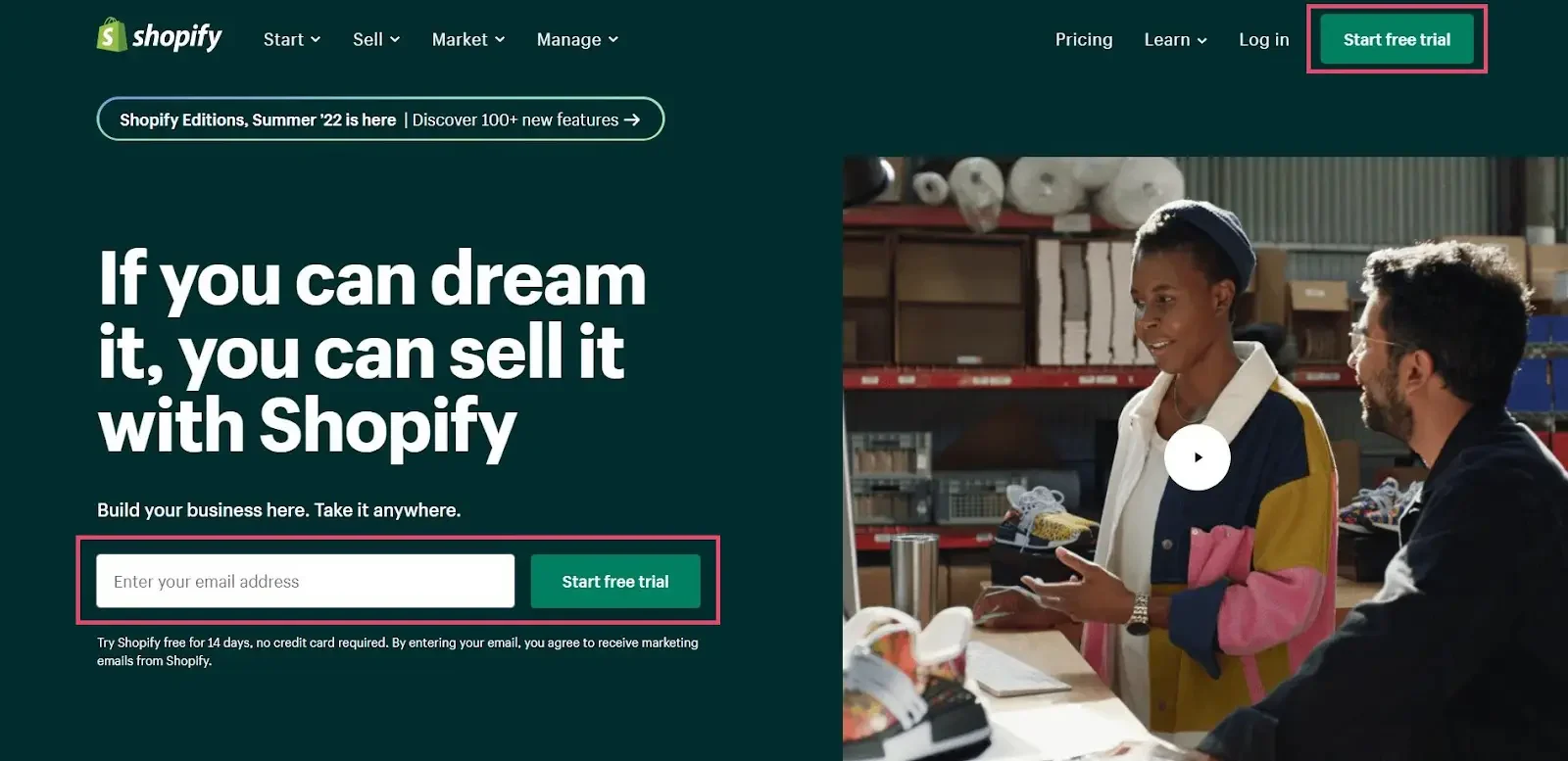
Step 1: Create Your Services Like Products
Start by listing your services the way you’d list products. Each service gets its own page with details customers need – what you offer, pricing, duration, and any special options.
Let’s say you’re a freelance photographer.
- Go to your Shopify admin → Products → Add product.
- In the Title, write something like “1-Hour Portrait Session.”
- In the Description, explain what’s included – for example:
“A 60-minute photo session at one location, 15 edited photos delivered within 3 days.” - Set the Price (e.g., $150).
- Add an image that represents your service – maybe one of your best shots.
Now, your photography service appears in your store just like a product would.
When customers buy it, they’re booking your time instead of buying a physical item.
This puts your services front and center, making it super simple for clients to browse and pick what fits them best.
Step 2: Integrate a Booking System
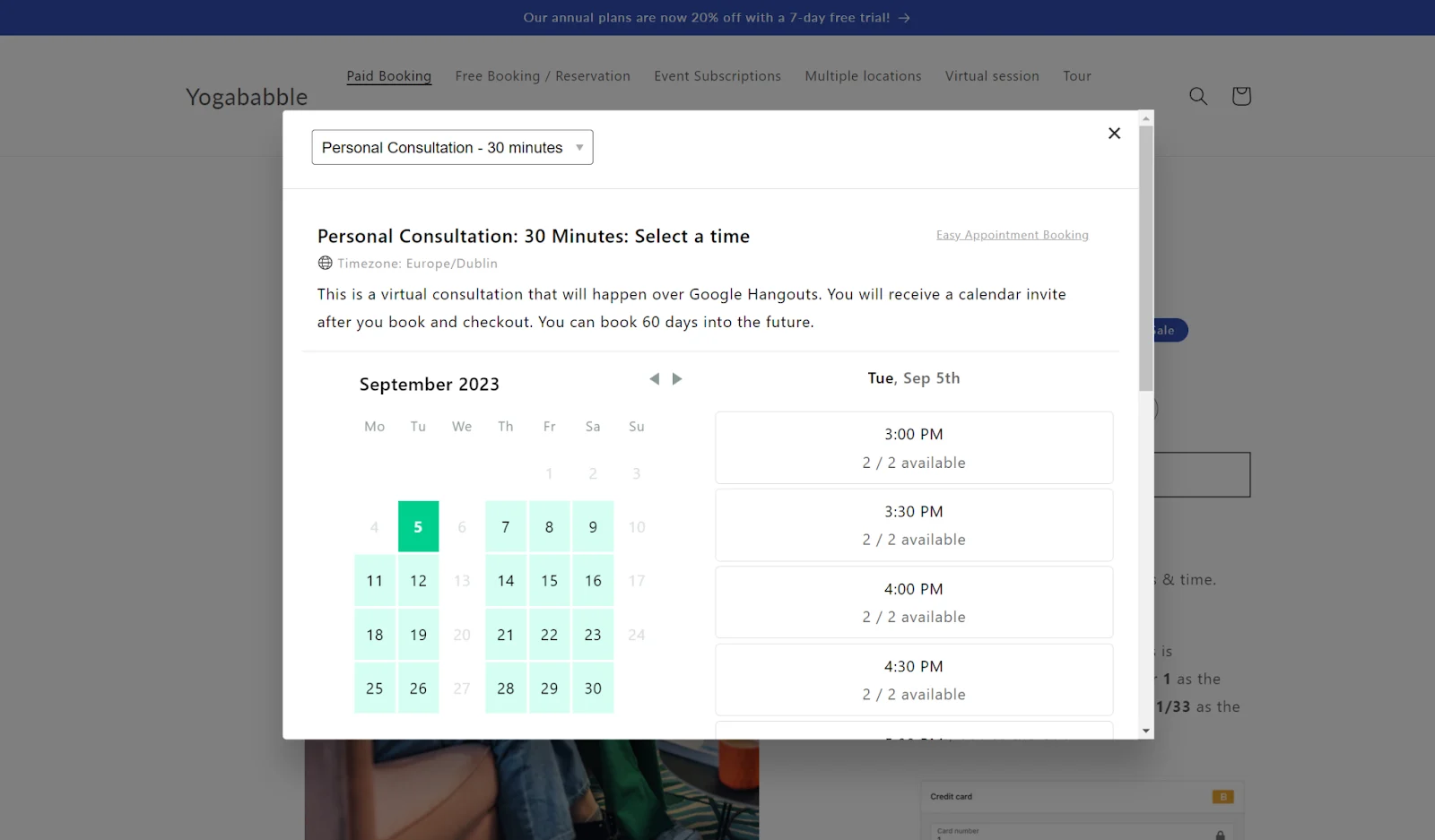
Next, connect a booking app through Shopify’s app store. These apps (like Sesami or BookThatApp) let customers pick available dates and times directly on your site.
Instead of calling or emailing back and forth, clients self-schedule – and the app updates your calendar automatically.
For instance, a beauty salon letting customers book appointments online anytime, or a coach who takes bookings 24/7 without extra effort.
Step 3: Design an Engaging Homepage
Your homepage is the centerpiece of your website. Make sure it’s designed to grab attention, clearly communicate what you offer, and invite visitors to explore your services further.
Step 4: Set Up Payments
Shopify’s secure checkout lets customers pay easily – whether it’s a one-time payment, a package, or a membership.
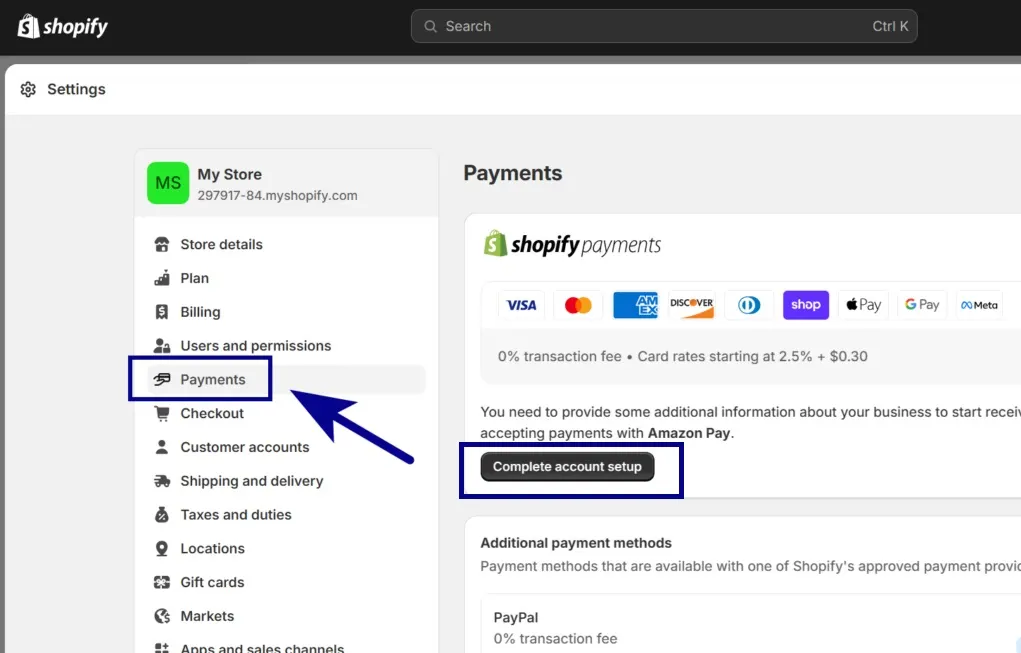
Service providers that offer regular sessions can use automatic billing to manage renewals and payments easily.
Step 5: Verify All Important Store Settings
Before launching, go through critical settings such as payment options, checkout process, tax setup, domain settings, notification templates, and store policies. Ensuring these are correctly configured guarantees a smooth shopping experience.
Step 6: Launch Your Store by Removing Password Protection
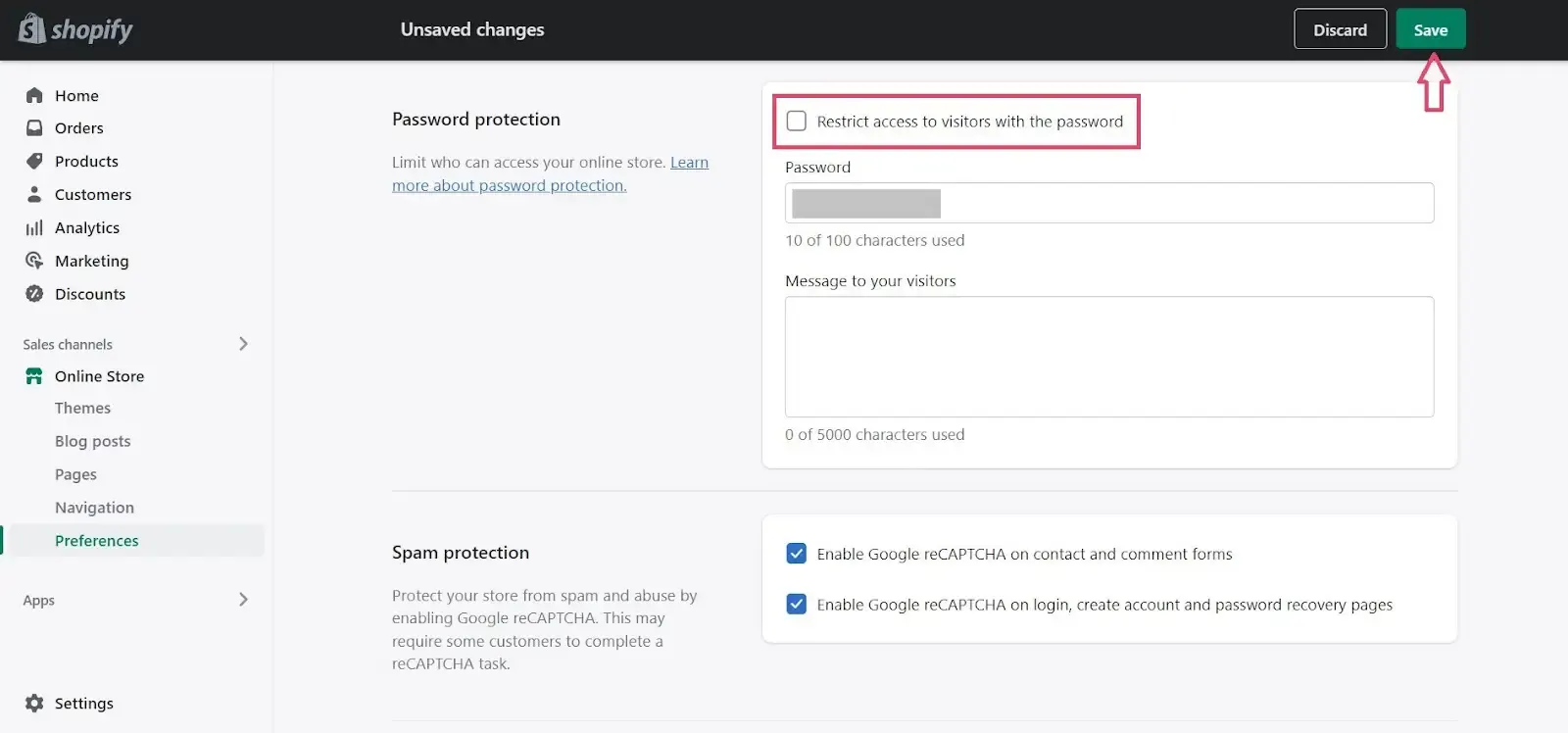
To open your store to the public, head to ‘Online Store’ > ‘Preferences’ in your Shopify admin, and disable the password protection. This step makes your site accessible and ready for customers to start booking or buying.
In short, Shopify makes it easier to run your service business by keeping scheduling, payments, and client management all in one place. It’s simple to set up and gives you the tools you need to focus on what really matters – your work and your clients.
If you’re ready to give Shopify a try for your service business, you’re already on the right path.
How Can You Manage Bookings and Appointments on Shopify?
Luckily, Shopify isn’t just for selling products or services; it’s also an excellent platform for booking and appointment-based businesses of all kinds. Whether you’re running a spa, consulting firm, tutoring service, or workshop series, Shopify offers smart solutions to make scheduling simple and hassle-free.
Shopify’s biggest advantage in this space is its wide range of booking and appointment apps that integrate seamlessly with your store. These tools turn your Shopify site into a fully functional booking engine – clients can check your availability, select a time that works, and pay upfront or later, whichever fits your business model.
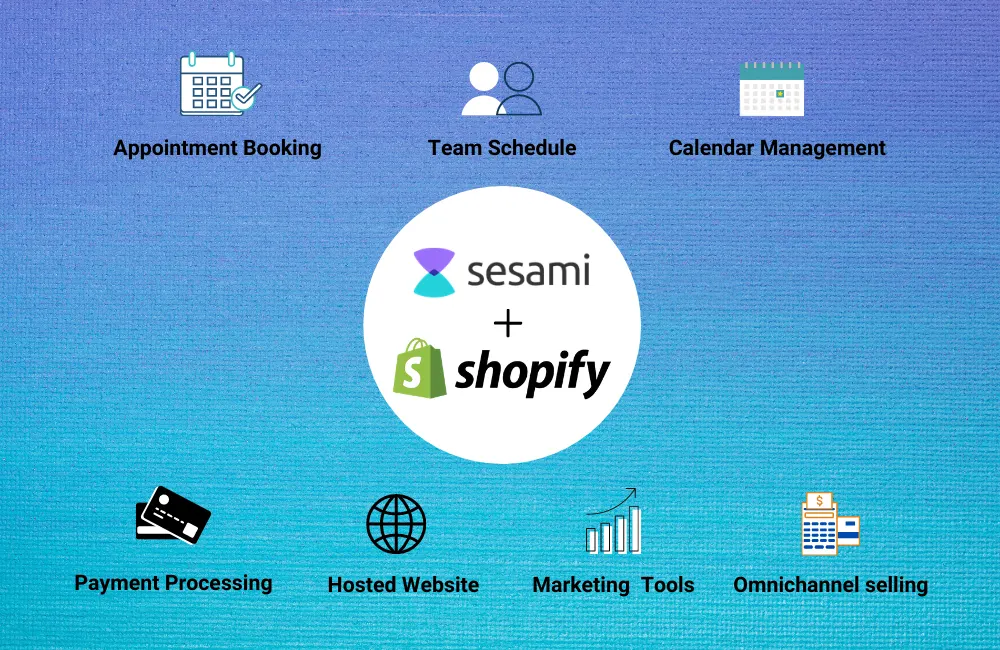
Some well-known apps designed for appointment management include:
- Sesami: Appointment Booking
- BookThatApp
- Acuity Scheduling
- Booking App by BOLD
Each app lets you connect your calendar (like Google or iCal), send automatic reminders to avoid missed appointments, add breaks between bookings, and manage different staff or locations – great if your business has more than one person offering services.
How to Manage Bookings on Shopify: A Simple Approach
- Browse Shopify’s app store and pick one that fits your needs. For example, Sesami is popular for its user-friendly interface and flexible settings.
- Based on your working hours and service duration, set up available booking times within the app. Customize buffers and limits as required.
- Integrate the booking calendar or widget directly on your service or product pages, so clients can schedule without leaving your site.
- Decide if customers pay upfront, a deposit, or after the appointment. Shopify’s payment gateway smoothly handles transactions.
- Configure automatic emails or SMS to confirm bookings, remind clients, and reduce cancellations.
Think of an independent massage therapist who uses Shopify and the Sesami App. Clients visit the site, view open time slots, book their preferred session, and pay securely. The masseuse gets automatic booking confirmations and calendar updates, saving time from doing it manually.
In short, Shopify’s booking tools make scheduling quick and automatic, so service businesses can focus on their clients instead of managing complicated calendars.
Bring Your Services Online the Smart Way
Don’t let tech setups slow you down. WebyKing helps small businesses like yours set up Shopify for bookings, subscriptions, and digital sales — fast, seamless, and affordable.
What’s the Smart Way to Offer Subscriptions or Retainers?
Subscriptions and retainers aren’t just buzzwords – they’re powerful ways service businesses create steady, predictable income while building strong client relationships.
Think about businesses like personal trainers who offer monthly coaching packages or marketing consultants who provide ongoing support. These models give clients the convenience of continuous service without having to rebook every time, and for you, they mean reliable cash flow and less time spent chasing payments.
Shopify makes offering subscriptions and retainers straightforward and flexible. Using subscription apps like Recharge or Bold Subscriptions, you can create plans where clients are billed automatically – whether it’s weekly, monthly, or quarterly.
From setting up tiered subscription levels to offering exclusive perks for loyal clients, Shopify lets you customize how you sell ongoing services while keeping your checkout smooth and secure.
To cut a long story short, smart subscription setups turn one-time buyers into long-term supporters, making your service business both predictable and scalable.
How Do You Sell Non-Inventory Services Smoothly?
Selling non-inventory services on Shopify covers a wide range of offerings like virtual consultations, digital courses, workshops, downloadable guides, and personalized coaching sessions.
These aren’t physical products you stock in a warehouse, but valuable services and digital goods that require smooth online delivery and management.
Many store owners successfully sell these non-inventory items by setting up their Shopify stores to handle bookings, digital downloads, or personalized orders. For example, a graphic designer might sell custom logo packages, or a therapist could offer virtual appointment sessions.
To make things easier, apps like Digital Downloads or Sky Pilot automatically send digital products to customers after purchase.
For service businesses, booking apps help schedule and manage appointments smoothly.
Here’s a simple step-by-step approach to selling non-inventory services smoothly:
- List non-inventory offerings as products
- Add delivery or booking capabilities
- Offer clear pricing and options
- Integrate payment and automation
Taking it a notch further, many sellers use platforms like eBay and Etsy to reach wider audiences for their digital or non-inventory services.
Thanks to Shopify eBay integration, you can sync your listings effortlessly across both platforms, managing sales and orders in one place without repetitive work. This cross-platform approach is especially helpful for creative professionals who want to tap into Etsy’s artisan crowd or eBay’s vast marketplace alongside their Shopify store.
In a nutshell, selling non-inventory services on Shopify is about creating clear, accessible listings, using the right tools to automate delivery and bookings, and leveraging integrations like Shopify eBay to expand reach – all while giving clients a hassle-free buying experience.
Which Tools and Integrations Simplify Your Service Operations?
Running a service-based business smoothly requires more than just a website – it needs smart tools and integrations that handle bookings, payments, customer communication, and more.
Thankfully, Shopify’s app ecosystem is packed with highly-rated, reliable solutions designed specifically to simplify these daily tasks, so you can focus on delivering your services without getting bogged down in admin work.
Here are some popular tools and integrations trusted by service businesses:
Sesami: Appointment Booking
Widely praised for its intuitive interface, Sesami lets clients easily pick appointment times, syncs calendars, and automates notifications – perfect for solo professionals or teams.
Recharge Subscriptions
This app powers seamless recurring billing for subscriptions and retainers, helping businesses keep steady revenue while providing customers flexibility to manage their plans.
Digital Downloads
Ideal for sellers offering digital products or service-related files, this Shopify app automates secure delivery of downloadable goods like guides, templates, or video content.
BookThatApp
A top choice for businesses needing complex bookings, it supports multiple locations, staff members, and customizable time slots, handling even sophisticated scheduling requirements.
Klaviyo
More than just email marketing, Klaviyo integrates deeply with Shopify to send personalized campaigns, reminders, and follow-ups that nurture client relationships and boost repeat business.
Zapier Integration
For automating workflows between Shopify and thousands of other apps, Zapier seamlessly connects your service business tools, saving time on repetitive tasks.
Using these tools makes managing client appointments, payments, and communications straightforward and professional.
If you want to add custom features or advanced functionality, Shopify development experts can help you tailor the platform to fit your business perfectly.
Altogether, these integrations are key to running a service business efficiently on Shopify, helping you save time, reduce errors, and deliver a better client experience.
Turn Your Expertise into a Scalable Online Business
Whether you offer coaching, fitness training, or creative services — WebyKing helps you build a Shopify store that books clients, sells subscriptions, and automates your workflow.
Bring Your Services Online with webyKing
Selling services on Shopify is easier than you might think. With its flexible features and handy tools, you can manage appointments, offer subscriptions, or deliver digital products – all from one place. Shopify helps you save time, stay organized, and focus on what you do best: serving your customers.
At webyKing, we’ve partnered with countless service business owners, guiding them through the process of launching and growing their offerings online. If you’re ready to take your services digital or want to explore subscription setups that keep clients coming back, connect with us. We’re here to support you every step of the way.
FAQs about Selling Services on Shopify
Is Shopify suitable for selling services, not just products?
Yes, Shopify fully supports service sales, from appointments to digital products, allowing you to tailor your store without managing inventory.
Can I sell subscription-based services on Shopify?
Absolutely. With subscription apps like Recharge, you can offer recurring payment plans that automate billing and renewals.
Do I need technical skills to set up my service store on Shopify?
No technical skills are required. Shopify and its apps provide user-friendly setups with easy-to-follow instructions.
How much does it cost to start selling services on Shopify?
It costs about $39/month to start selling services on Shopify, plus standard transaction fees. You may also spend $0–$20/month for booking or subscription apps.
What are the most popular types of services sold on Shopify?
Trending services include online coaching, digital marketing consultations, fitness classes, virtual events, creative design, and subscription-based wellness or education programs.
Is it possible to offer free trials or demo sessions for my services?
Definitely. You can set up free trial bookings or discounted first sessions using Shopify apps or customized service listings.